

Everything you need to keep your 3D models under control
From finding a model to printing it, Thingport covers every step, and it all runs on hardware you own.
Import from the sites you already use
Thingport keeps a real copy of every model, so it's still there if the original page disappears.
- Paste a MakerWorld, Printables, Thingiverse or MyMiniFactory link, or any direct link to a model file.
- No extension? Click the bookmarklet in your bookmarks bar on a model's page, and Thingport opens with the link ready to import.
- Import whole collections and your likes in one go. Big imports run as background jobs you can follow, with a notification when they finish.
- A model you already have is never imported twice, so running a collection import again only brings in what's new.
- Sync a collection, and models added to it later are imported on their own.
- Bring in a MakerWorld model's print profiles too: the designer's own, or all of them.
- Title, description, tags, photos, author and source link come with the files.
- Printables works with no setup. MakerWorld, Thingiverse and MyMiniFactory need a credential (see provider setup), and admins can turn off any provider they don't want used. MyMiniFactory models you bought come in through your own MyMiniFactory account.
Keep collections in sync
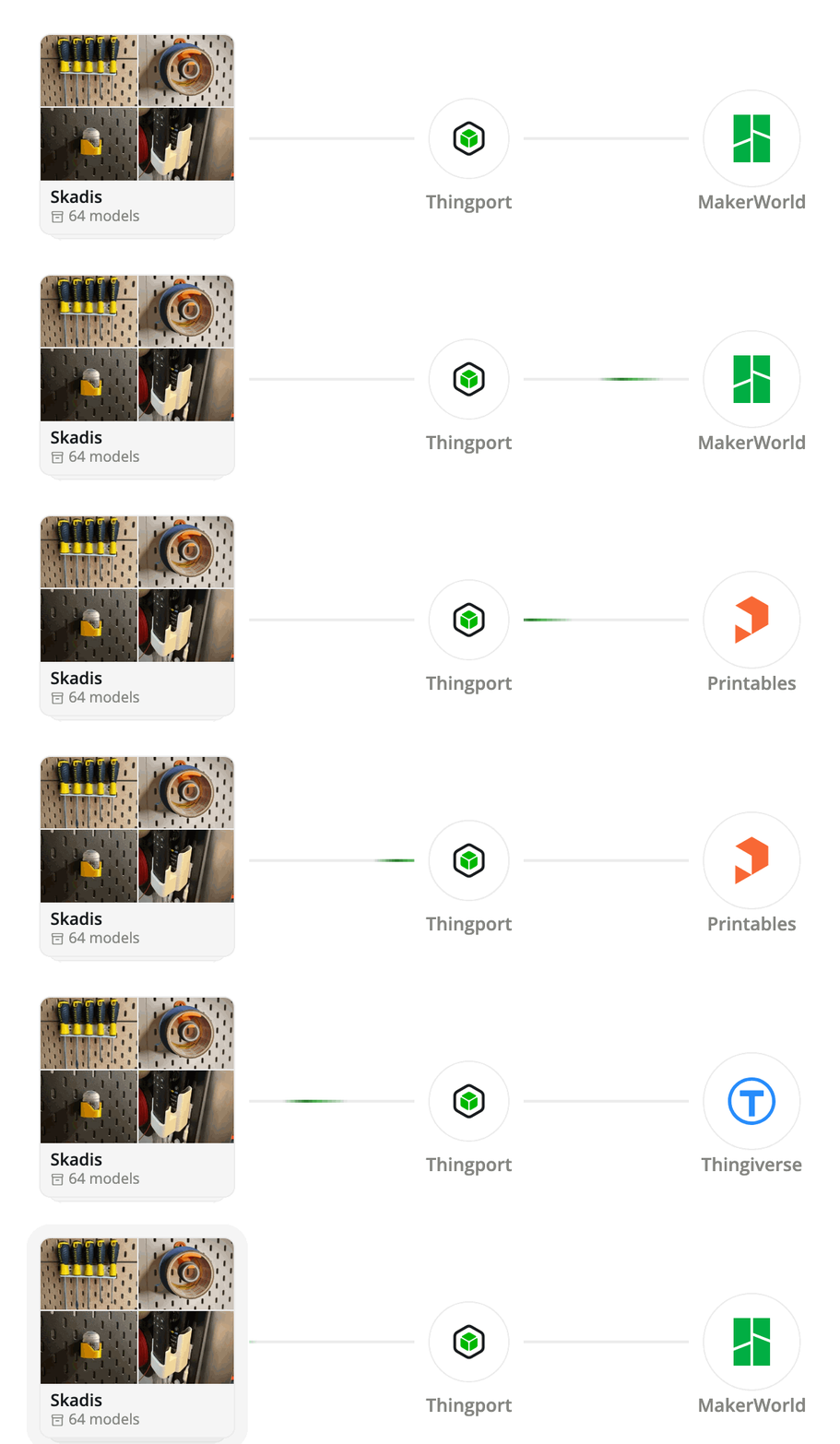
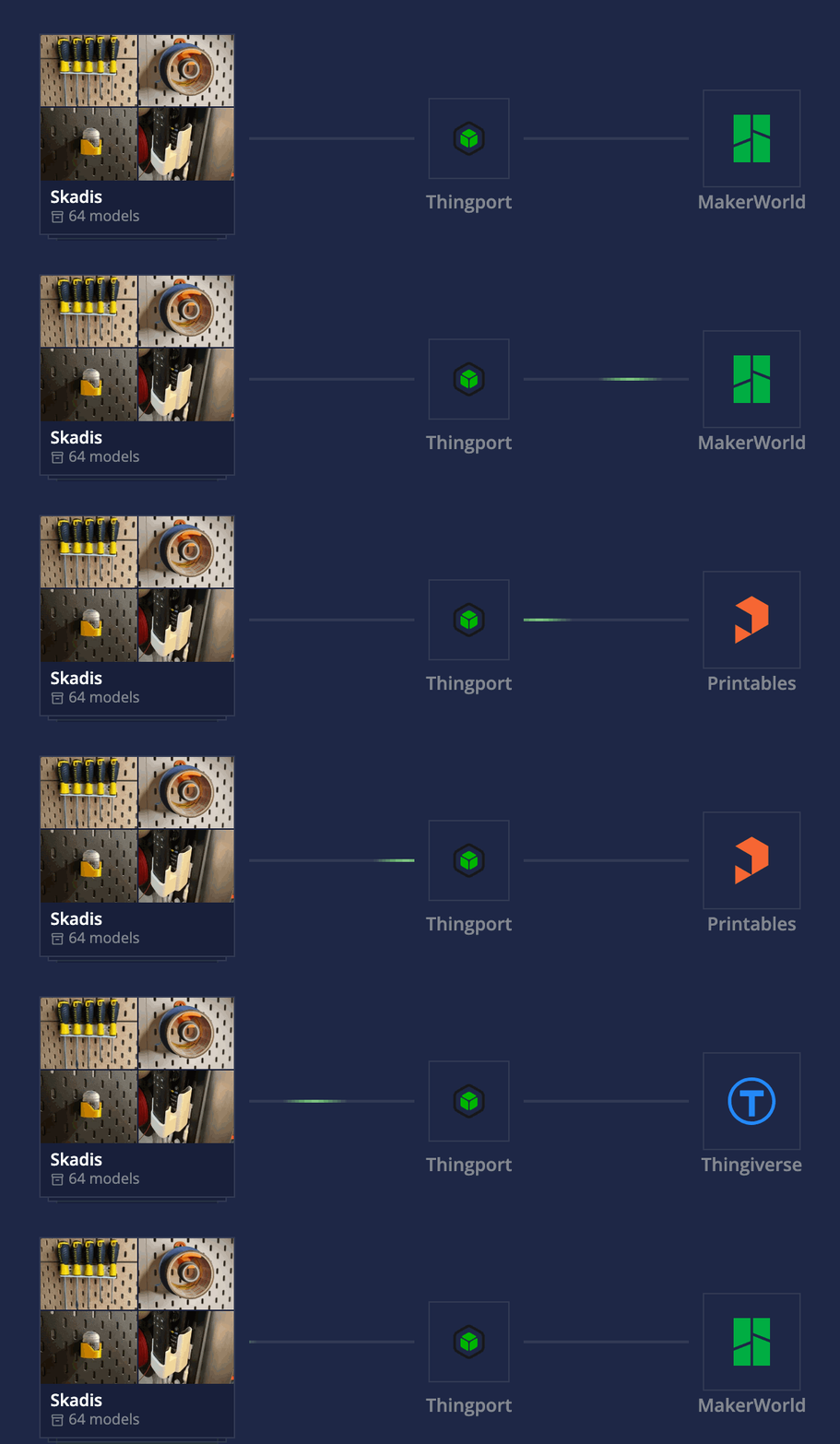
Link a MakerWorld, Printables, Thingiverse or MyMiniFactory collection to Thingport once, and it keeps up with the collection from then on.
- Keep saving models to collections on the sites you browse, even from your phone. They turn up in your library on their own.
- Follow someone else's public collection, or a Thingiverse user's likes, and get each model they add.
- Checked once a day, or every 6 hours or every hour, with a notification saying what came in, and Sync now for when you can't wait.
- New models are imported one at a time, a minute apart, so the provider's limits aren't hit.
- Sync only adds: removing a model on the provider never deletes it from Thingport, and a model you deleted isn't brought back.
- Turn it on with one tick in Thingport Grab, on the collection's own page.
Bring the library you already have
Years of STLs, 3MF projects and ZIPs don't have to be added one at a time.
- Upload STL, 3MF, STEP, OBJ and LightBurn files, or a whole folder tree, straight from the browser. Your folders come across as folders, however deeply nested.
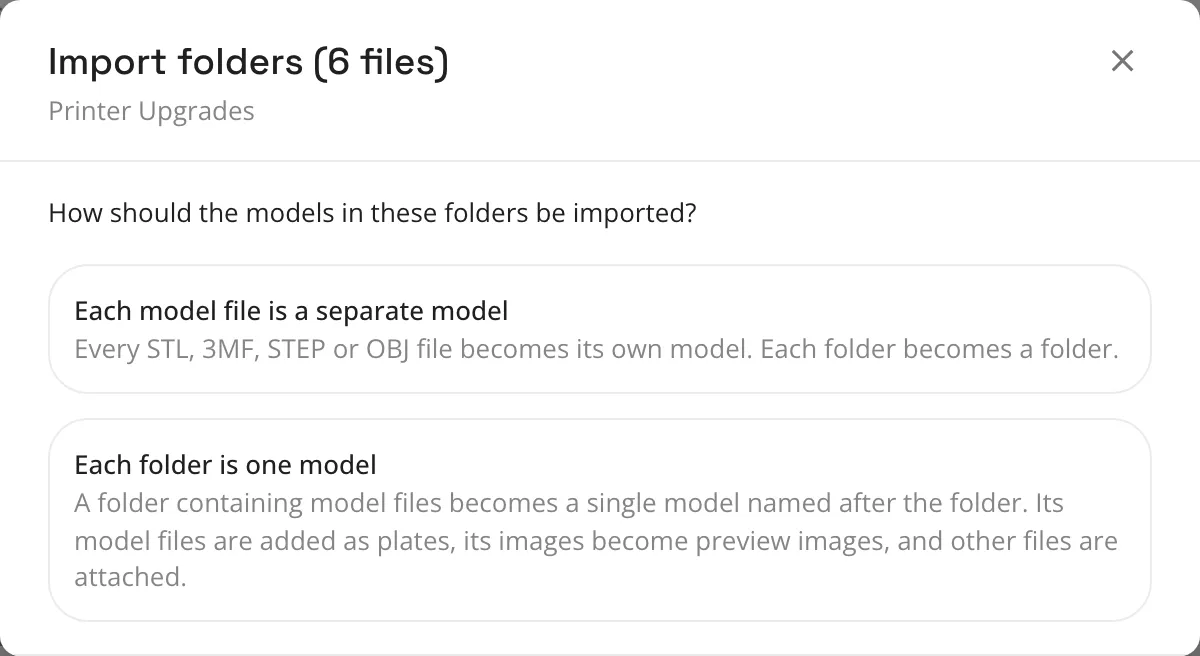
- Choose what counts as a model: every file on its own, or each folder as one model, with its images as photos and its manuals and notes attached.
- Unpack ZIPs into models and folders, picking which files to keep, or store an archive as it is.
- For big libraries and NAS shares, mount a consume folder and copy your library in. Thingport imports files, folder trees and ZIPs on its own, then empties the folder.
- Anything that can't be imported is set aside rather than lost, and a notification tells you what went in.
Import in one click with Thingport Grab
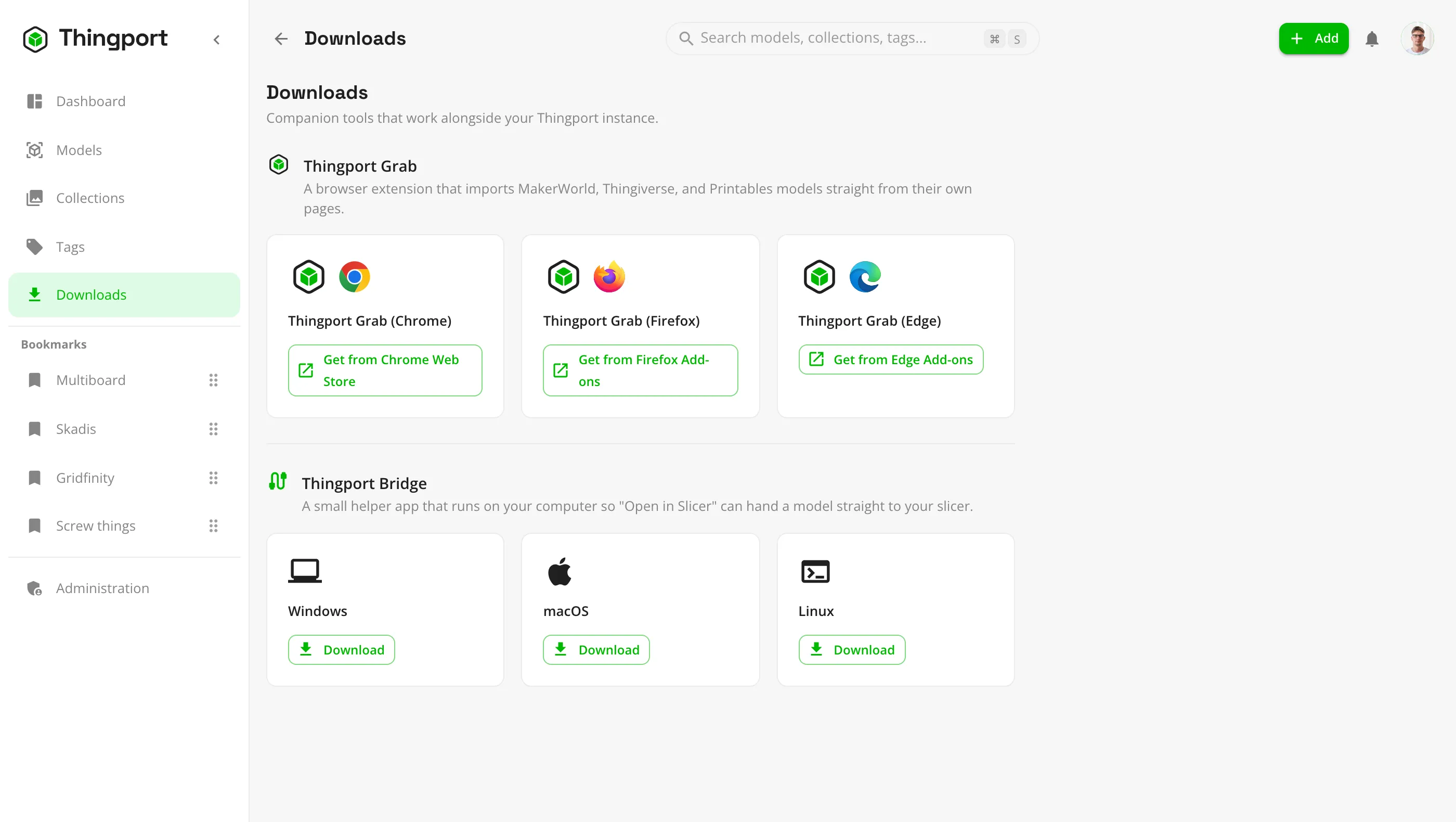
A browser extension for Chrome, Edge and Firefox that adds a Thingport button to the model pages you're already on.
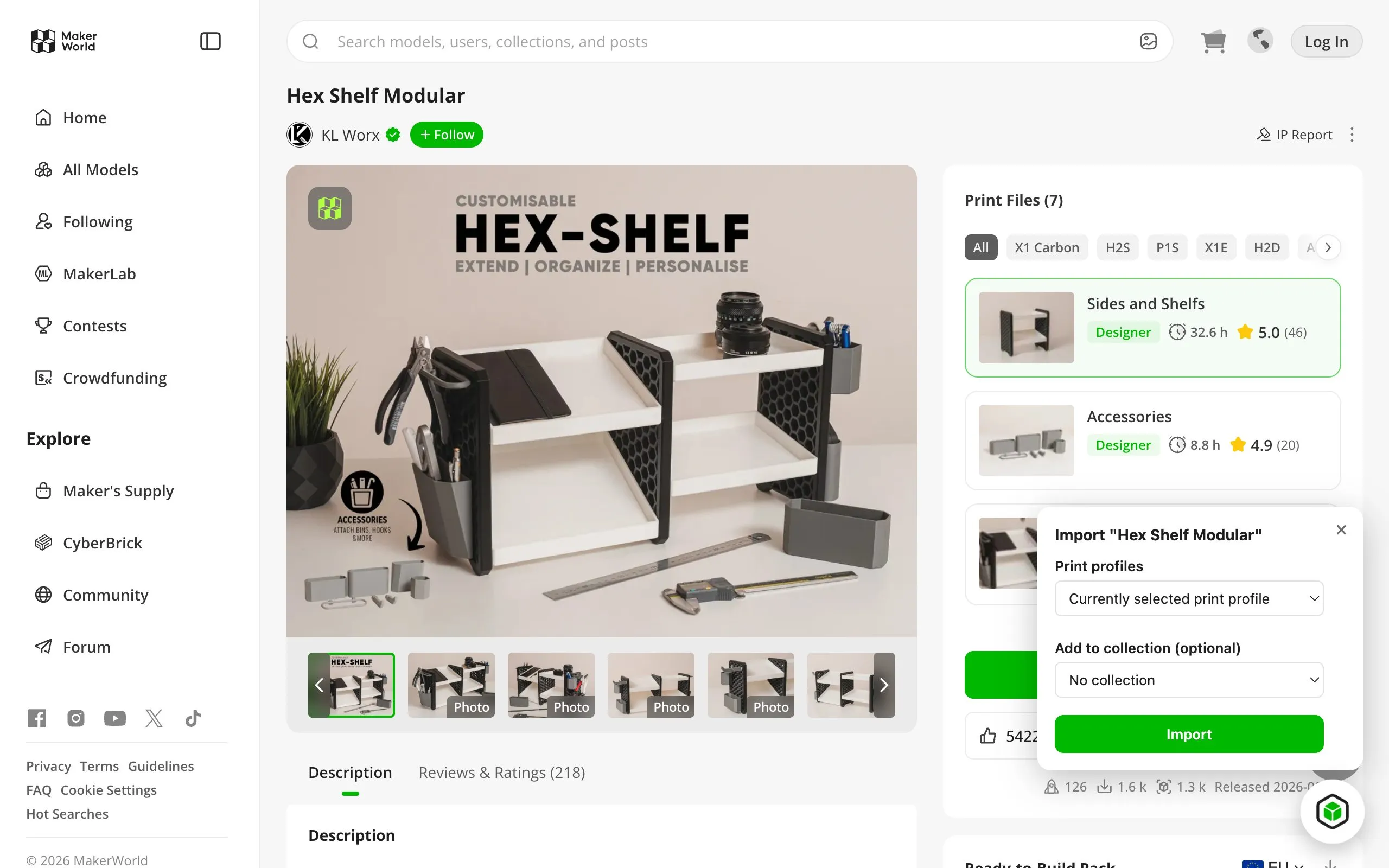
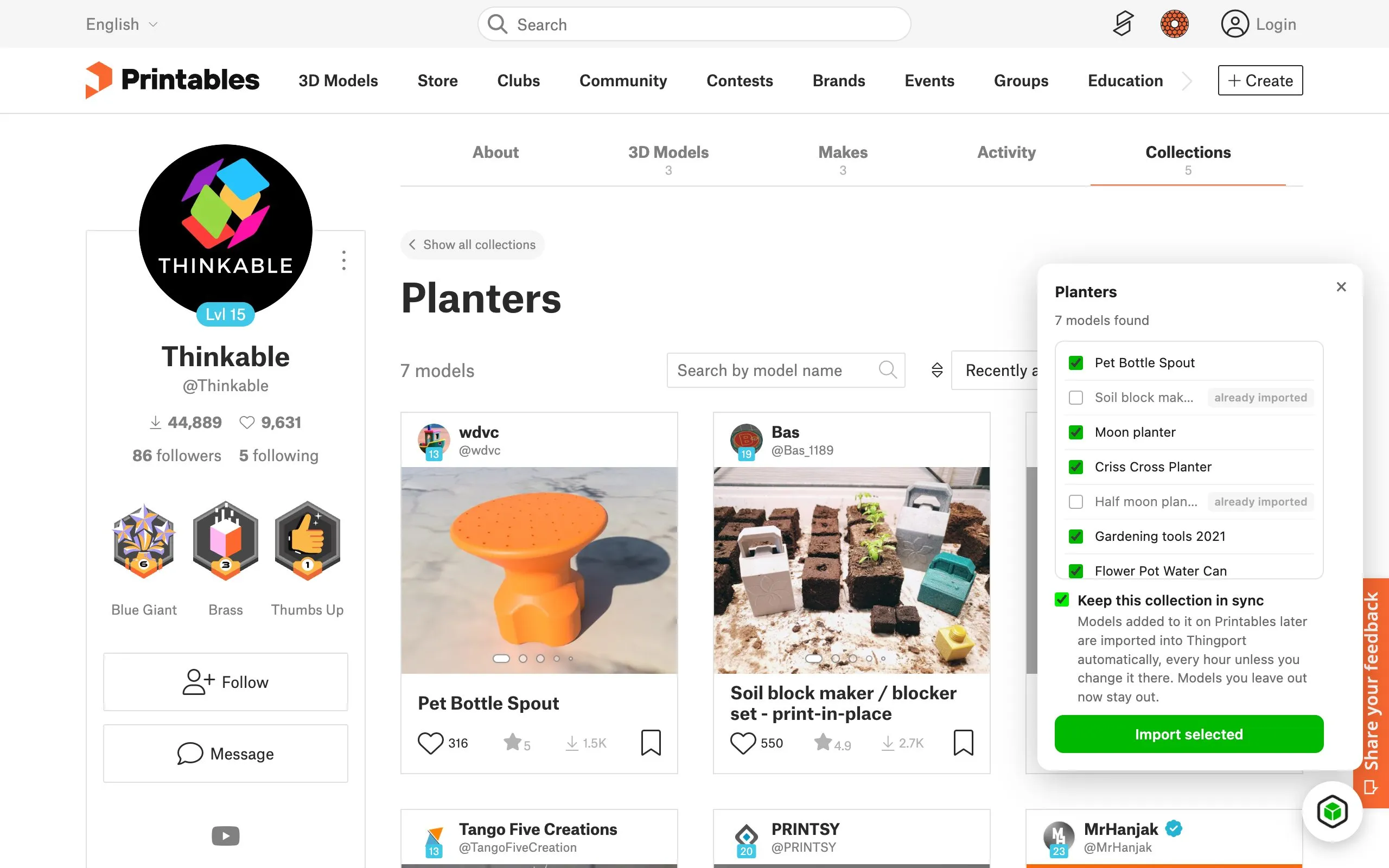
- Works on MakerWorld, Printables and Thingiverse model pages, plus collections and your Thingiverse likes. MyMiniFactory too, once you allow it with one click in its popup.
- Choose which MakerWorld print profiles to import, right from the model page.
- Pick a Thingport collection to file the model into, then jump straight to it with Open in Thingport.
- Uses your MakerWorld login from the browser, so there's no session cookie to paste.
- Hides itself on models you already have, and keeps your last few imports one click away in its toolbar popup.
- Useful on its own too: a Download normalized button on MakerWorld converts Bambu Studio projects in your browser, so PrusaSlicer, Cura and other slicers open them with their colours and settings. No Thingport instance needed.
- Talks only to your own Thingport instance. Nothing goes anywhere else.
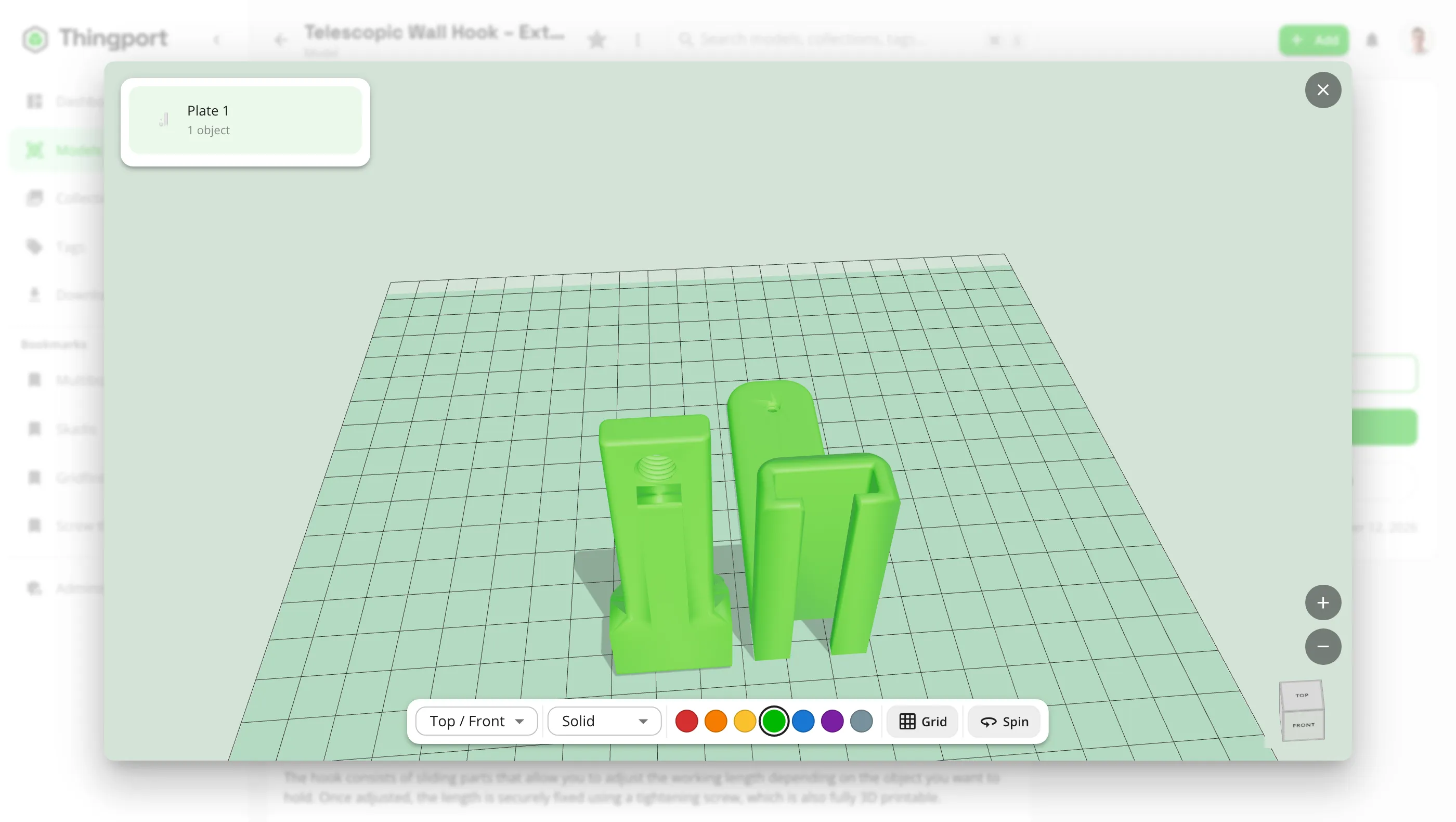
Preview models in 3D
Check what a file actually is before you slice it.
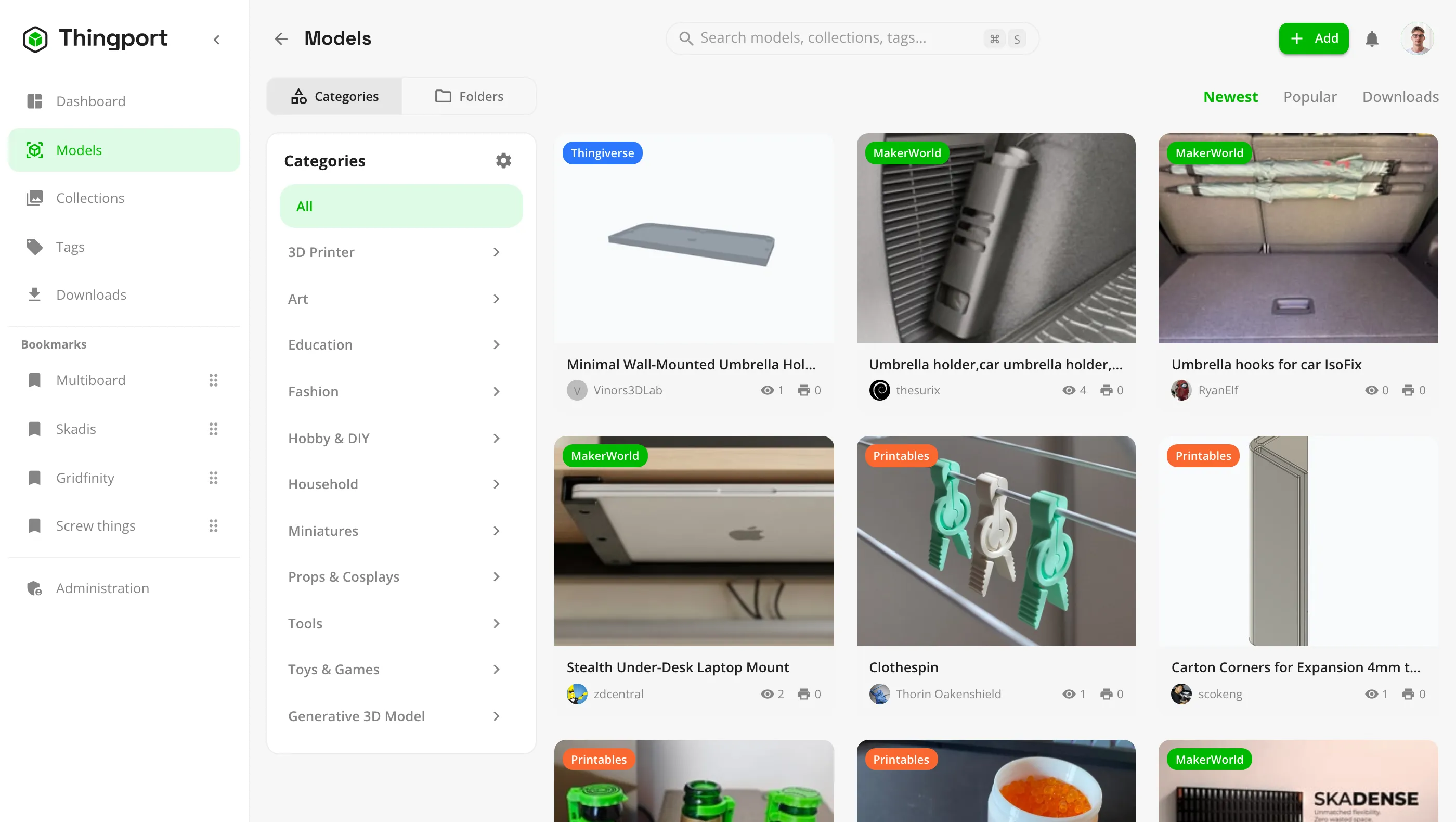
- An interactive 3D viewer for STL, 3MF, OBJ and STEP files, right in the browser.
- Thumbnails for every plate in a multi-plate 3MF project.
- Very complex models can be simplified for a smooth preview. The files themselves are never changed.
- A photo gallery per model, separate from its printable files.
- Admins choose whether model card thumbnails render automatically, on demand or not at all.
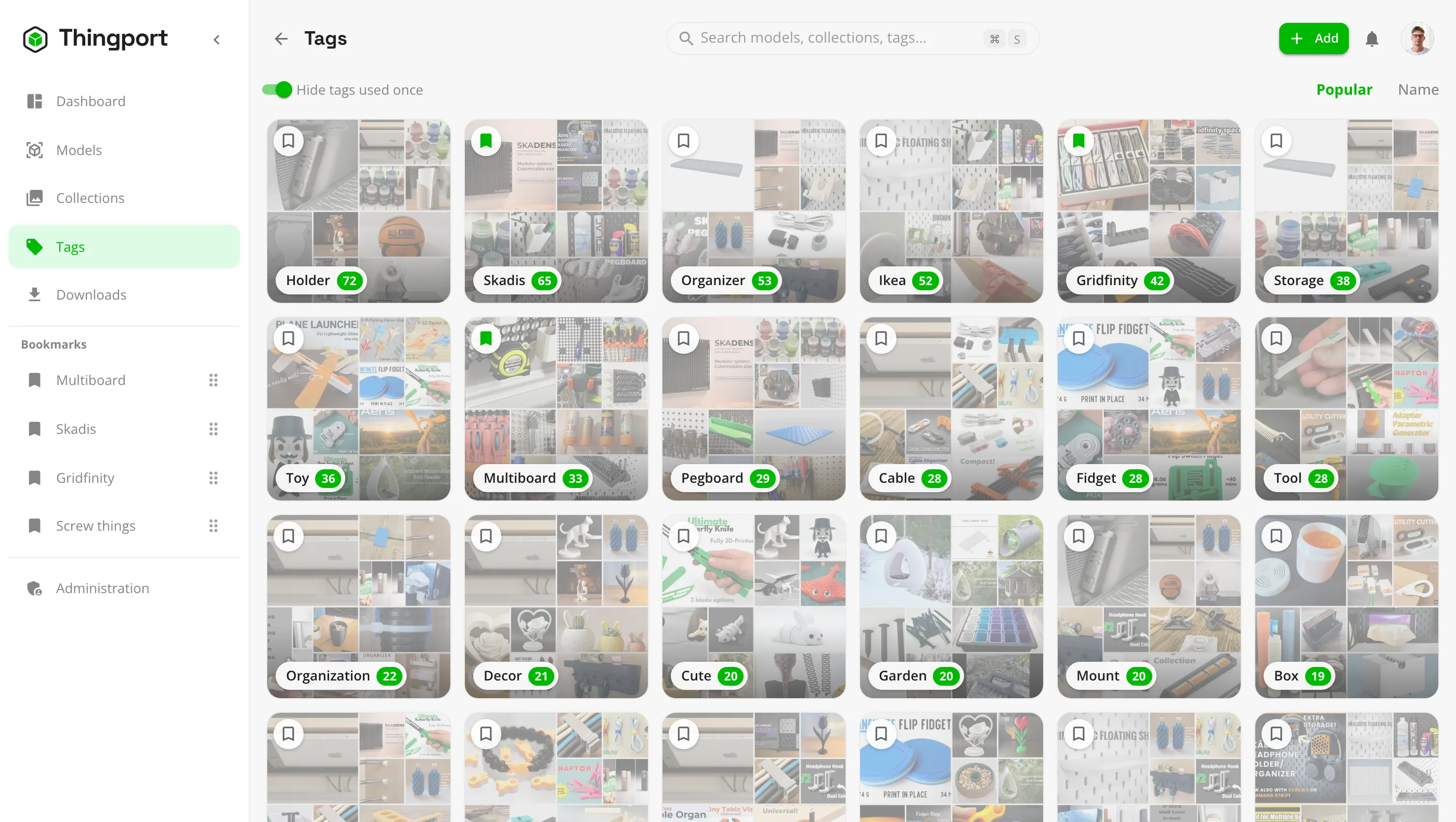
Organize and find anything
However you think about your collection, there's a way to file it.
- Nested categories, collections, tags, favourites and a browsing history.
- Pin the collections and tags you use most to the sidebar.
- A dashboard with library stats, recently added models, your most viewed and most used models, and top authors.
- Full-text search across model names, tags, notes and authors.
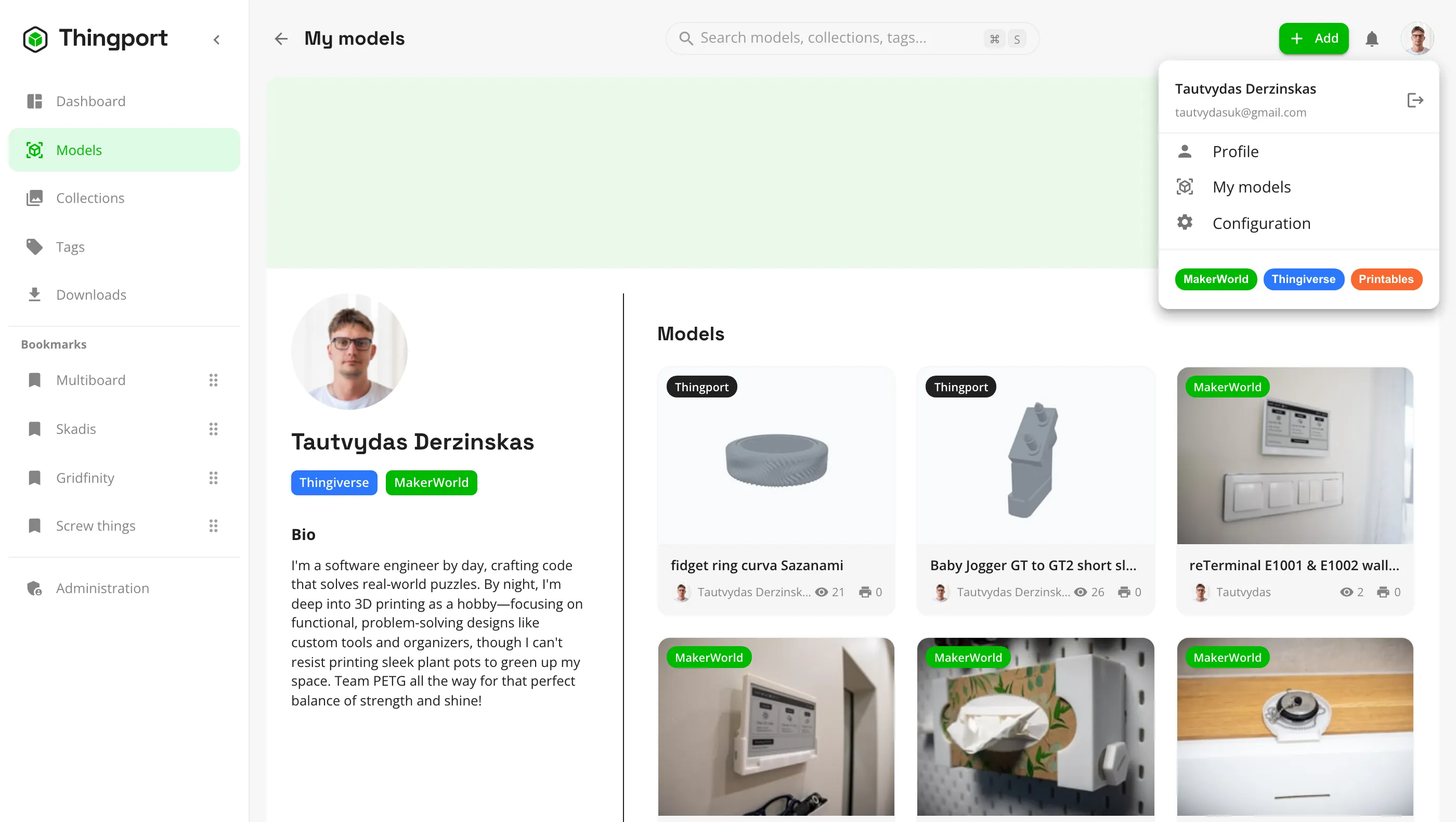
- Author pages with their cover, details and every model of theirs you've saved, plus a preview card when you hover an author's name.
- Link an author to your own account so your own designs show up under My models.
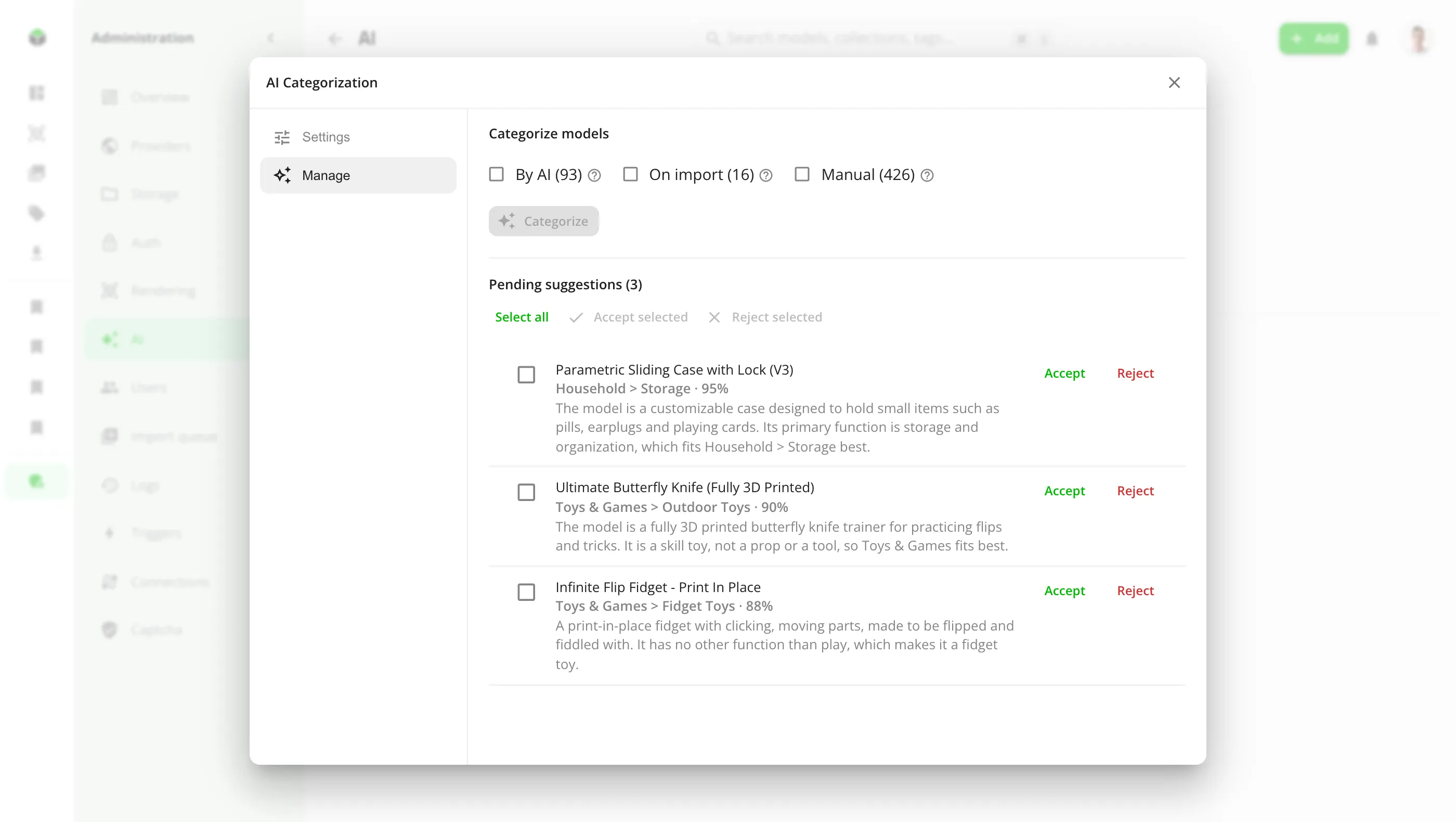
Let AI tidy up your library
Optional AI features, on a model running on your own hardware or a cloud API of your choice. Off until an admin adds a model.
- AI categorization sorts models into your own categories from their title, description, tags and photo. It never makes up new ones.
- Improved descriptions strips self-promotion and boost requests, translates descriptions into English, fixes spelling and formatting, and writes one where there's none.
- Review each suggestion before it's applied, or let confident ones apply on their own. Original descriptions are kept, so any change can be reverted.
- Runs on every new import, on one model, or over your whole library in the background.
- Works with Ollama, LM Studio, vLLM, OpenAI, OpenRouter, Gemini and other OpenAI-compatible APIs. With a local model, nothing leaves your network.
See what you've been up to
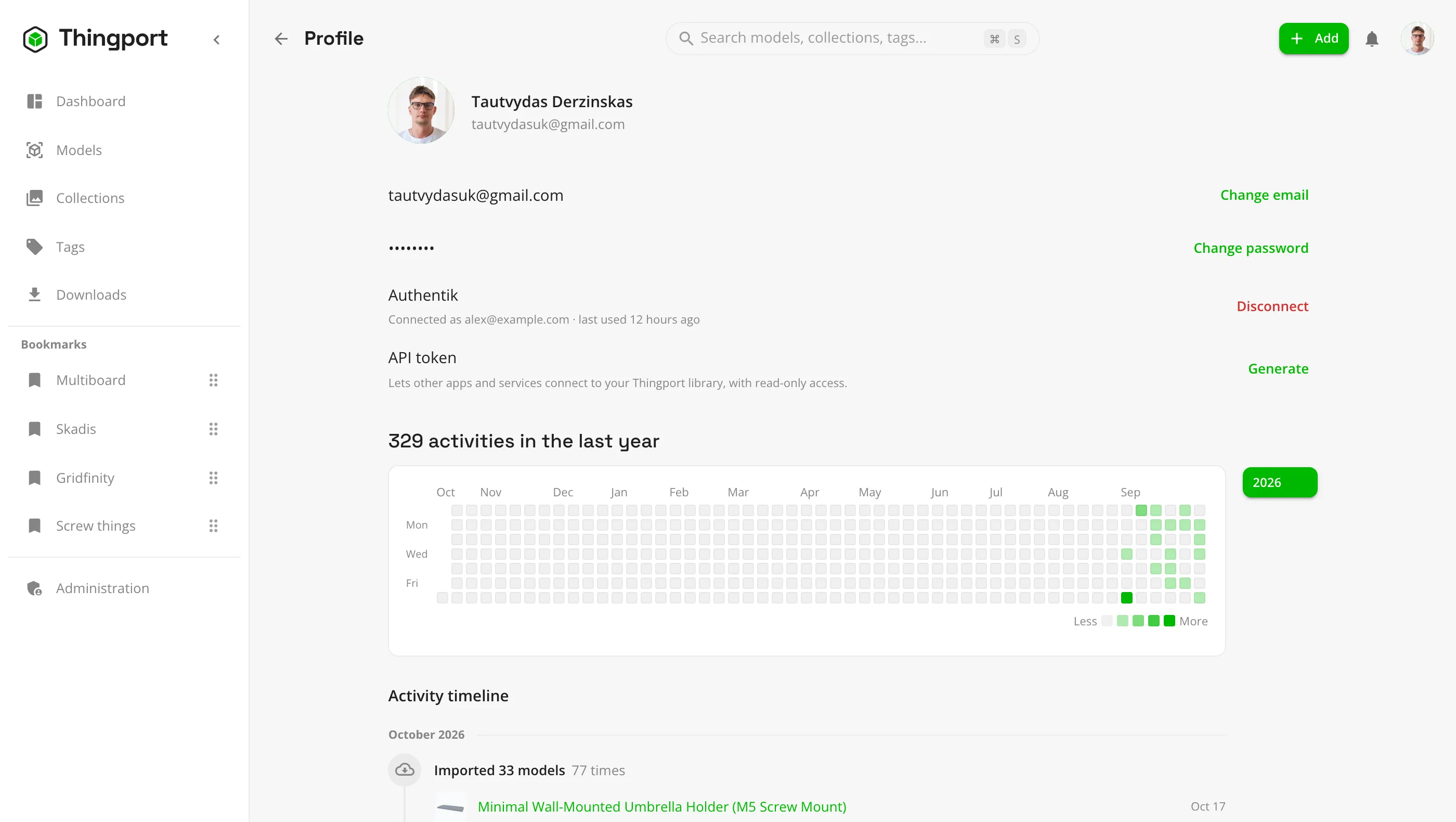
Your profile keeps a record of how you use your library.
- A year-long activity heatmap, like the one on your GitHub profile, with earlier years one click away.
- A month-by-month timeline of the models you imported, uploaded, downloaded, opened in a slicer or deleted.
- Generate a read-only API token to connect other apps and services to your library, and revoke it whenever you like.
Go from library to printer
Everything you need to print a model lives with the model.
- Attach assembly instructions, notes and other supporting files.
- Keep a sliced, ready-to-print project next to the source files.
- Open files directly in Bambu Studio, OrcaSlicer, PrusaSlicer, Cura, Creality Print, Anycubic Slicer Next, Elegoo Slicer or Snapmaker Orca, picking the file when a model has several. Thingport Bridge handles the slicers that won't open links from a self-hosted server.
- MakerWorld models are Bambu Studio projects, which other slicers often open without their colours or settings. Open normalized converts a copy that keeps painted colours, plates and the designer's print settings.
- Download a model's files one by one or as a ZIP, or a whole category, tag or collection in one archive.
Your files stay yours
Thingport stores models as ordinary files on your own disk, not locked inside a database.
- Choose the folder layout, for example category / model / file. Change it later and existing files are moved to match in the background.
- Renaming a model renames its file too, so the folders stay readable.
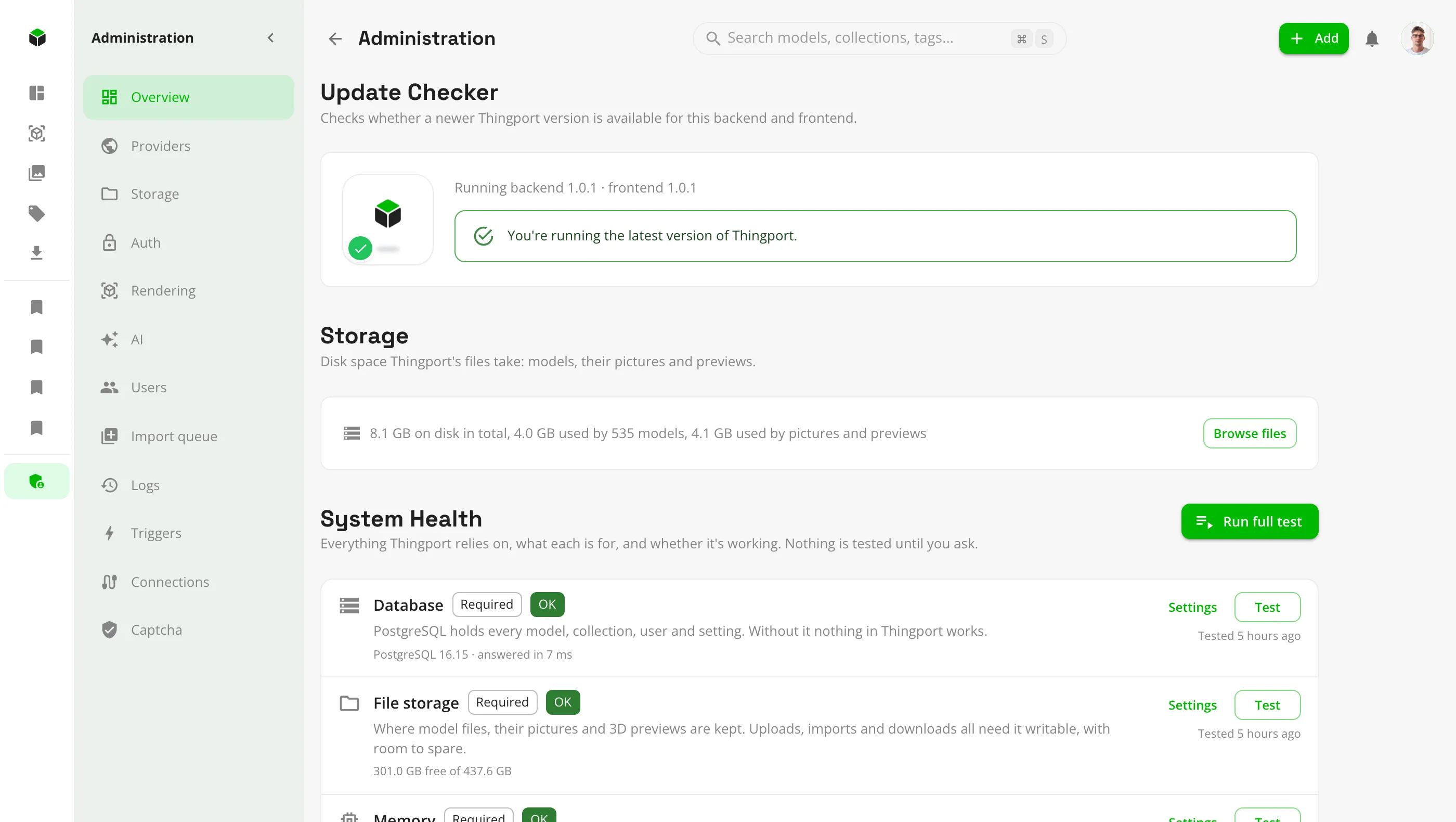
- See how much disk space models, pictures and previews take, and browse the storage folder from the browser.
- Back up the storage folder with whatever tool you already use.
Made to share with your household
One server, separate libraries for everyone who prints.
- Multiple user accounts. The first person to sign up becomes the admin.
- Open sign-up, or invite-only with email invitations. Optional email verification and captcha.
- Single sign-on with Authentik, Pocket ID, Keycloak or any other OpenID Connect provider, next to email and password.
- Light and dark themes, in English and Lithuanian.
Run it your way
Every instance-wide setting lives in Administration, a page per area, so admins can see and change everything from the browser.
- System Health checks the database, storage, memory, FlareSolverr, Thingiverse, MyMiniFactory, AI and email on demand, and says what to fix.
- Choose which providers this Thingport imports from. Turn one off and nothing new comes from it for anyone.
- Manage users and roles, see how each person signs in, and follow imports and changes in the logs.
- Change the storage folder layout and let Thingport reorganize existing files in the background.
- An update check says when newer Thingport images are out.
Ready to give it a try?
It takes about five minutes on any machine that runs Docker.
Install Thingport