


Skadis planner
Plans a wall of 3D-printed IKEA Skadis boards: the fewest boards that fill it, sized to your bed, with the mounts, the print order and the plan saved as a model.
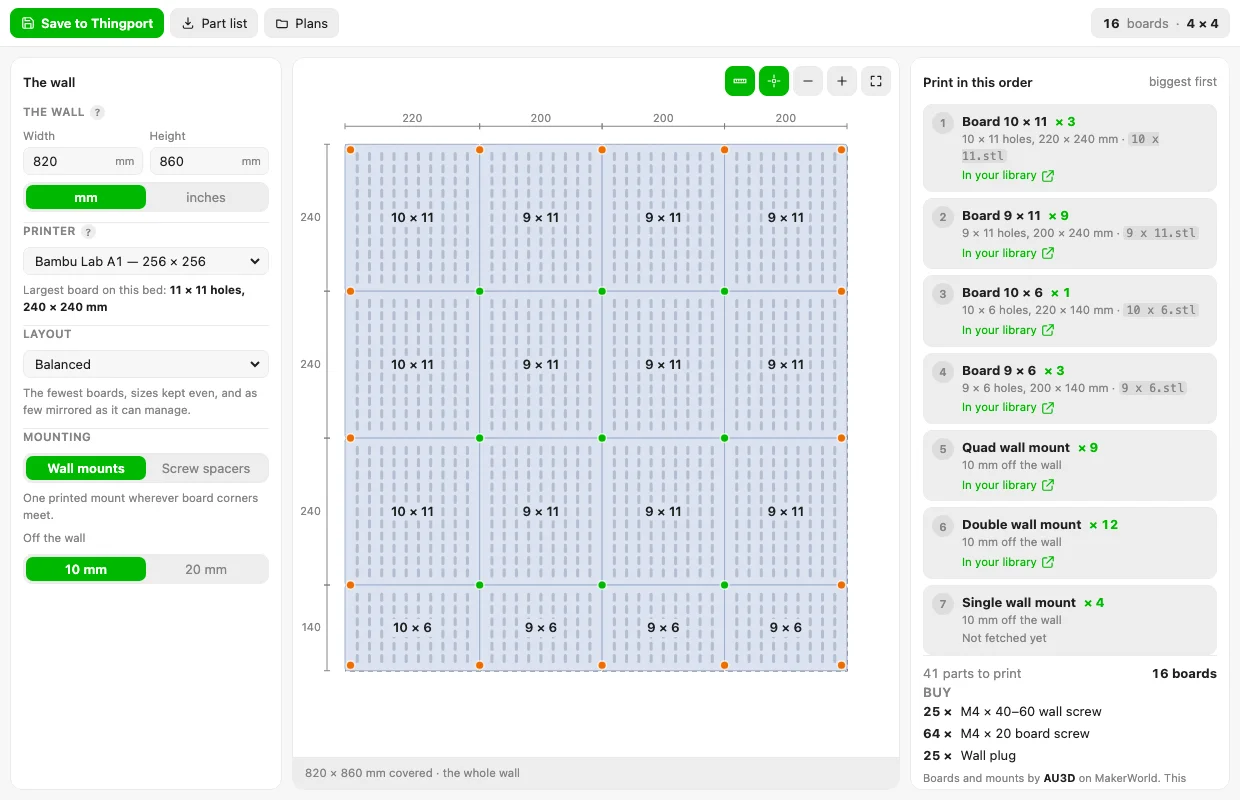
A 820 × 860 mm wall filled by 16 boards on an A1, with every mounting point marked and each part linked to the model it came from in your library. 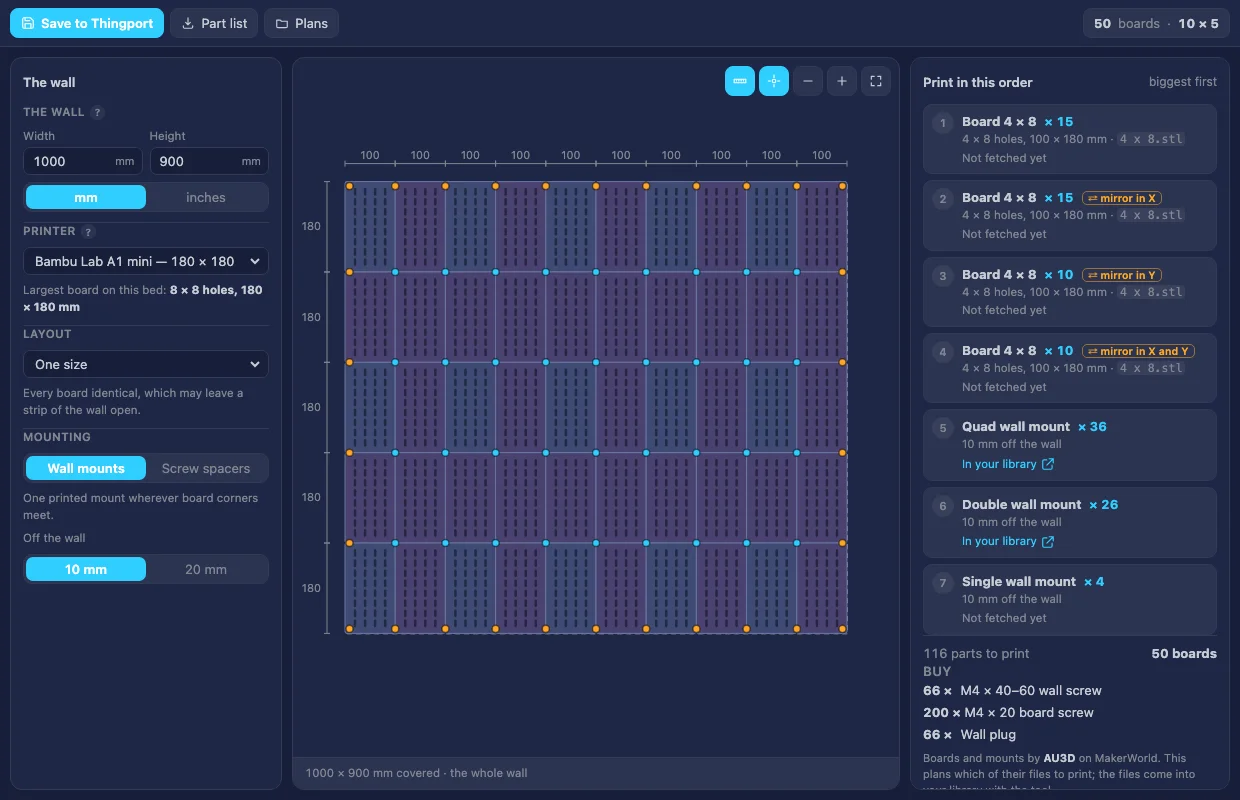
The same wall on an A1 mini in the dark theme: fifty small boards, and the four ways they have to be mirrored so the pattern carries across every seam. 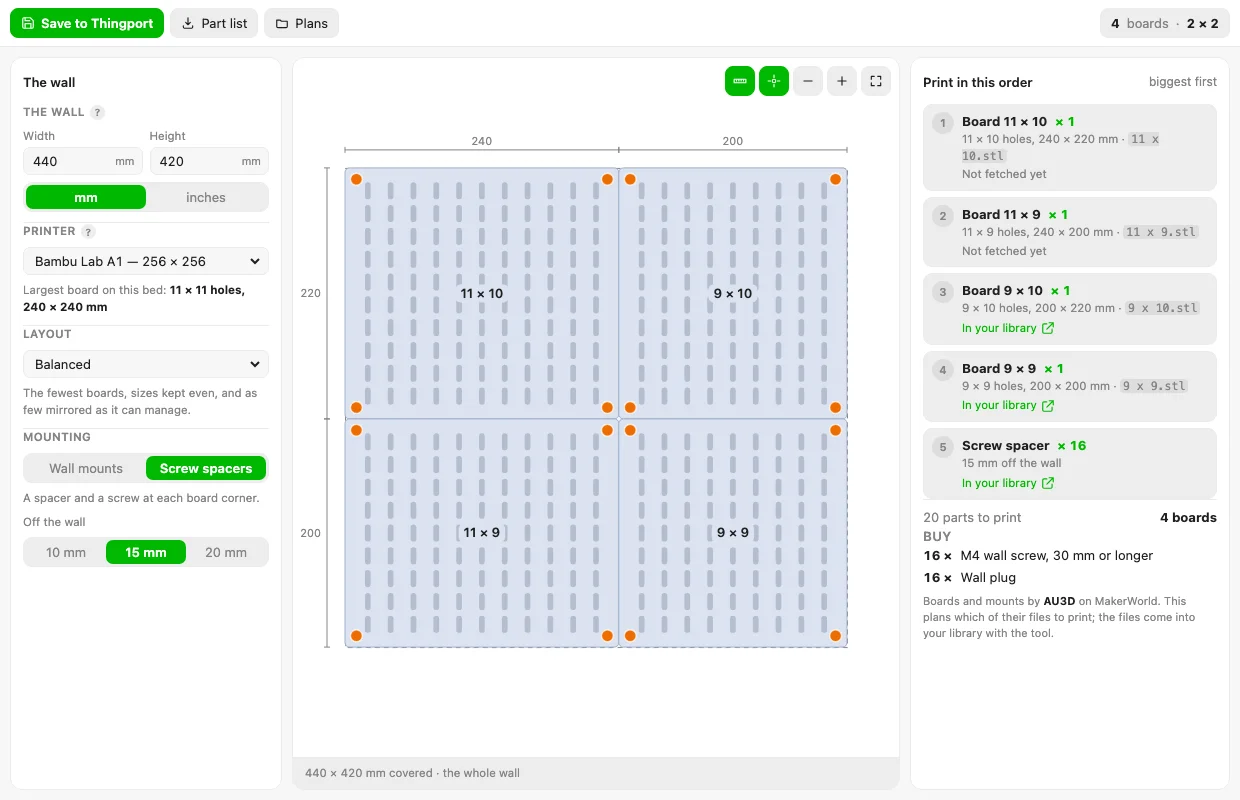
Screw spacers instead of wall mounts: four to a board, 15 mm off the wall, with the slot pattern and the spans measured. 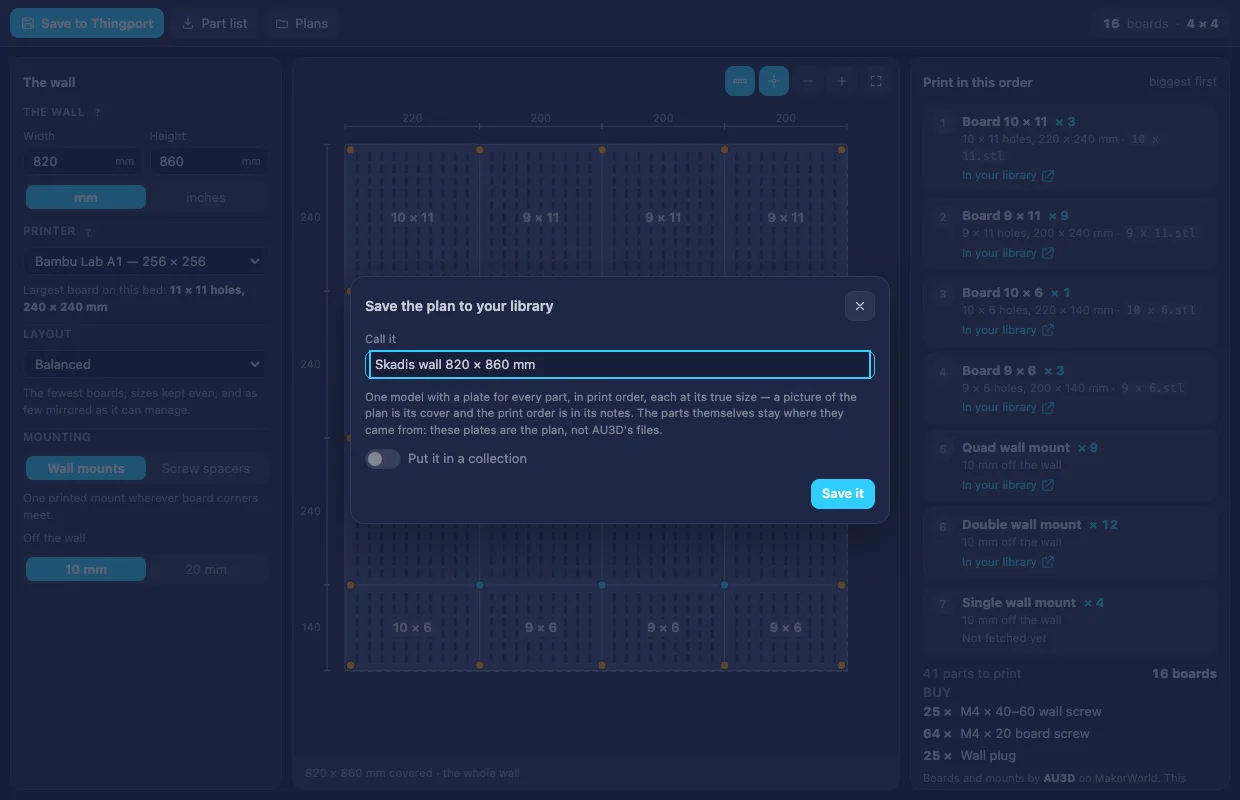
Saving the plan as one model: a plate for every part, in print order and at its true size, with a picture of the plan as its cover and the print order in its notes.
About Skadis planner
Plans a wall of 3D-printed IKEA Skadis boards. Give it the space you want covered and the printer you have, and it works out the fewest boards that fill it, each one sized to your bed, with the mounts that hold them, the order to print them in, and the plan saved into your library as a model.
- The fewest boards, sized to your bed. Each side of the wall is split into whole boards; a board of h holes is 20 mm × (h + 1), so a 256 mm bed takes 11 holes and an H2D’s takes 15. Five layouts to choose between: balanced, largest first, one size only, nothing mirrored, or a small gap allowed.
- Only sizes that exist. It plans from AU3D’s published print profiles rather than from arithmetic, so every board it asks for is one you can actually download — including the ones that only exist turned a quarter turn, which it says so about.
- Mirroring worked out. A board with an even number of holes has to be flipped for its pattern to carry on into its neighbour, so every other one of them is mirrored. The plan says how many to print each way round.
- The mounts counted off the lattice. Where four boards meet needs a quad mount, where two meet along the outside a double, and the four corners a single — far fewer than one per board corner. Screw spacers are offered instead, and the screws and plugs to buy are counted too.
- The plan, drawn. The wall from the front, board by board, with the mounting points marked and every span measured. Drag to move it, scroll to zoom.
- A part list to download, as a text file: what to print, how many, in what order, what to buy, and which file each board comes from.
- Saved as one model, a plate per part. Every board size and every mount becomes its own plate, in print order and at its true size, with a picture of the plan as the cover and the same print order in the notes. The plates are the plan — plain stock at the right size — not AU3D’s files, and each one says so in its own metadata.
The models it brings
The boards and the mounts are AU3D’s designs on MakerWorld:
| What | Model |
|---|---|
| Boards | IKEA Skadis Infinity |
| Quad and double mounts | Skadis Multi Board Wall Mount |
| Single mounts | IKEA Skadis Wall Mount |
| Screw spacers | Standoff / Spacers for IKEA Skadis |
This repository carries none of their files. They are published under MakerWorld’s Standard Digital File Licence, which does not allow them to be shared or hosted anywhere else. The tool’s metadata names the 21 print profiles it needs, and Thingport imports them into the Tool: Skadis planner collection when an admin installs it, through that admin’s own MakerWorld sign-in — so every copy comes from AU3D’s page, under AU3D’s licence.
Connect MakerWorld first (Configuration → Providers); the tool’s row in Administration → Tools says how many have come in, and Fetch missing models picks up any the daily download limit stopped. Until a profile has arrived the plan still works — it just says “Not fetched yet” beside that board instead of linking to it.
One profile per column count covers every board size in it, which is why 21 models cover the whole range rather than one model per size.
What it reaches
Nothing outside Thingport: it declares no hosts, and the planning, the drawing and the 3MF are all done in the browser. It reads the models the tool brought, to link each part to your library, and writes to your library only when you ask it to save a plan.
Changing it
Edit source/ and build:
node source/build.mjs # tool.js and tool.json, from the files under source/node source/test_planner.mjs # the catalogue, the solver, the mounting, the print list and the 3MFcatalogue.js is the one place that knows what AU3D publishes — the print profiles, which board sizes each holds,
and the mounts’ distances — and both the planner and the tool’s metadata are built from it, so the collection and
the planner can’t disagree. solver.js splits the wall, mounting.js counts and places the hardware,
printlist.js writes the order, parts3mf.js saves each part as a plate, plan2d.js draws it and ui.js is the
window.
If AU3D adds or renames a profile, update BOARD_PROFILES or the mount profiles and build again. A key that has
already shipped must keep meaning the same model: Thingport stores them per user, so renaming one would lose
somebody their copy.
Credit
The planning approach — splitting each axis into the fewest boards that fit the bed, alternating the mirrored ones, and turning that into a print list — follows vanessa/3d-skadis-planner, which is a lovely piece of work and worth a look. That project carries no licence, so none of its code is used here; this is its approach rewritten for Thingport. The boards and mounts are all AU3D’s. Thank you both.