


Multiboard planner
Plans a Multiboard wall: the layout, and every tile and mount to print it, from your own library.
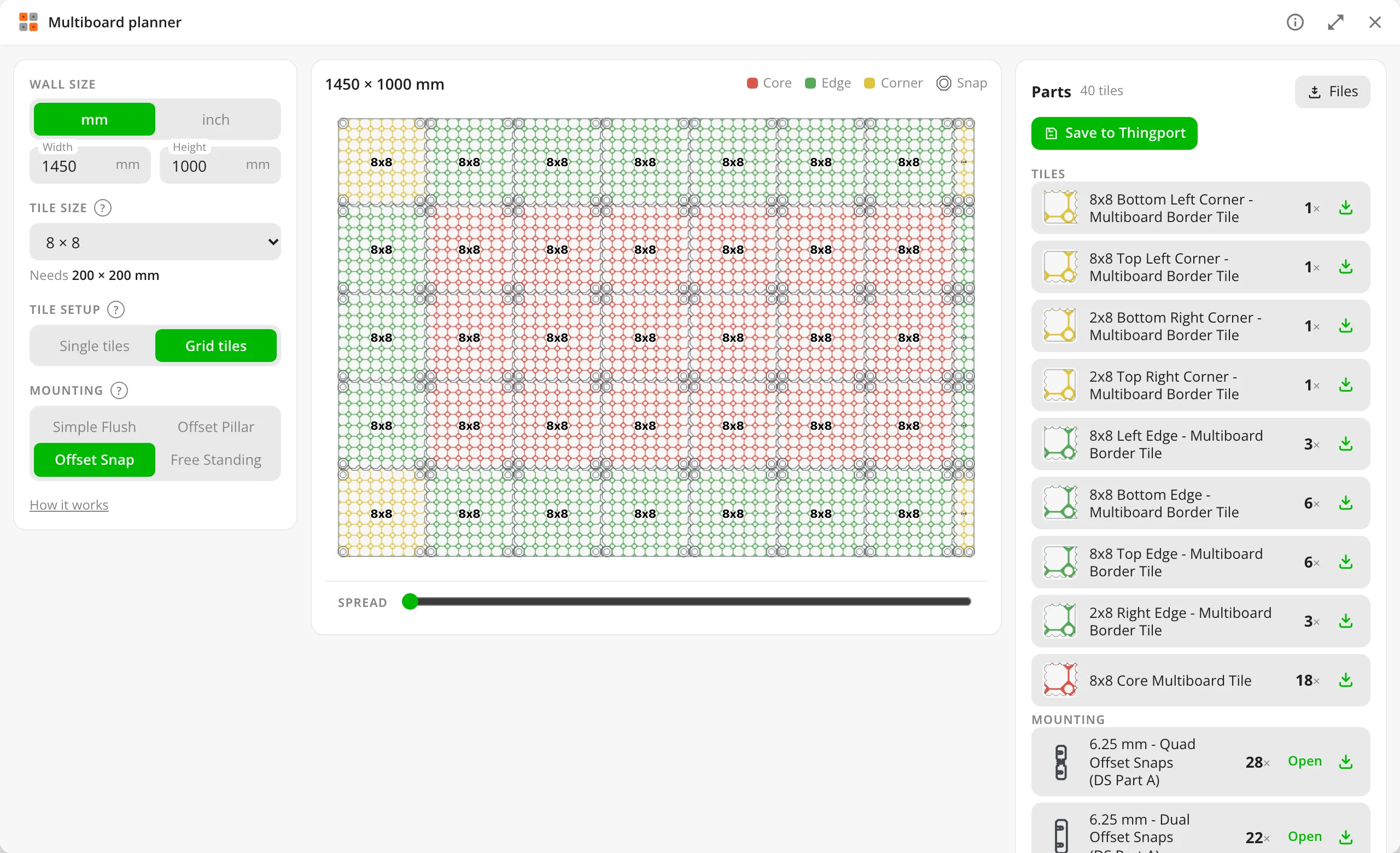
Grid tiles with offset snaps: corners, edges and core tiles, and every snap counted, single, dual or quad. 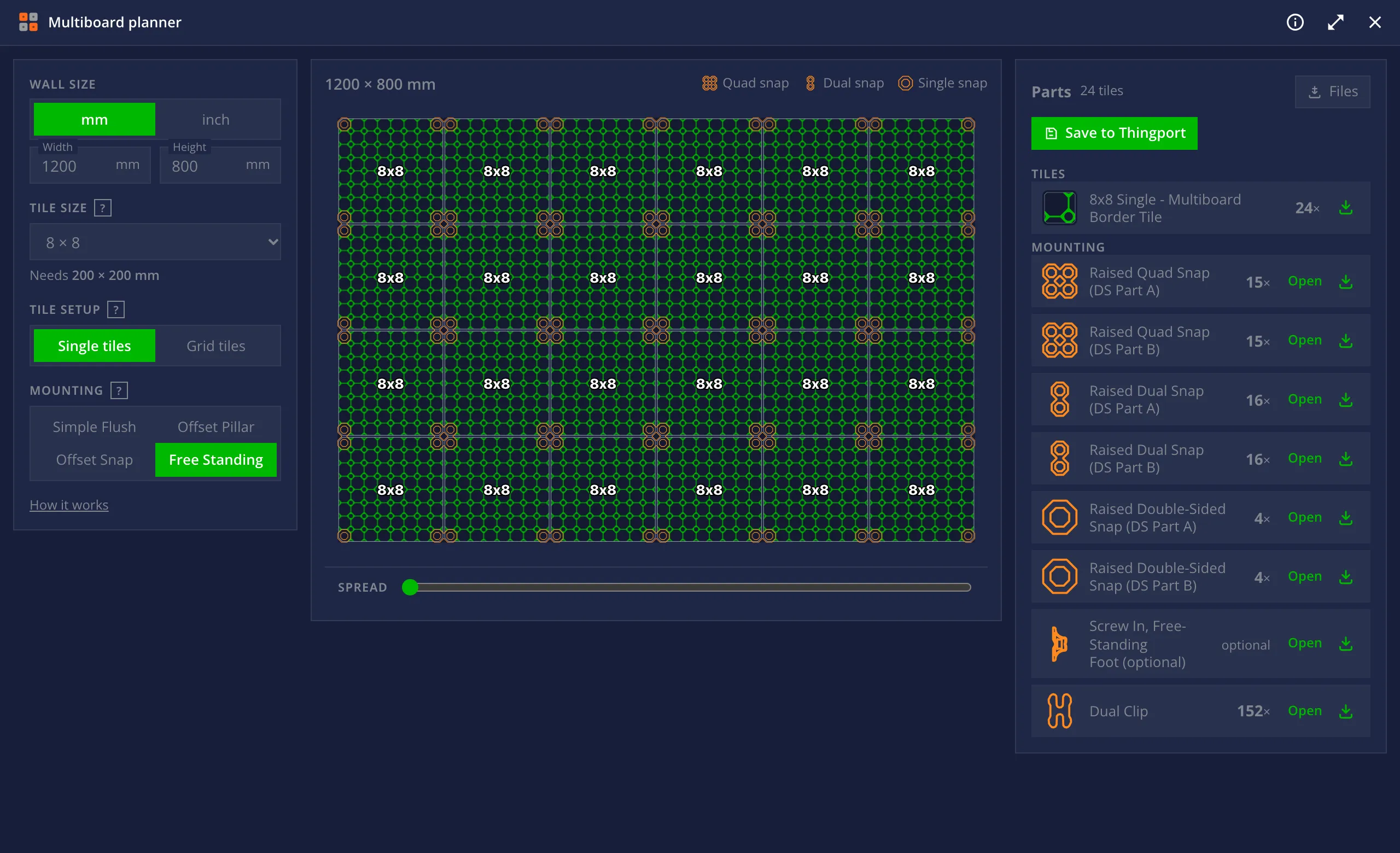
Single bordered tiles joined by dual clips, standing free, in the dark theme. 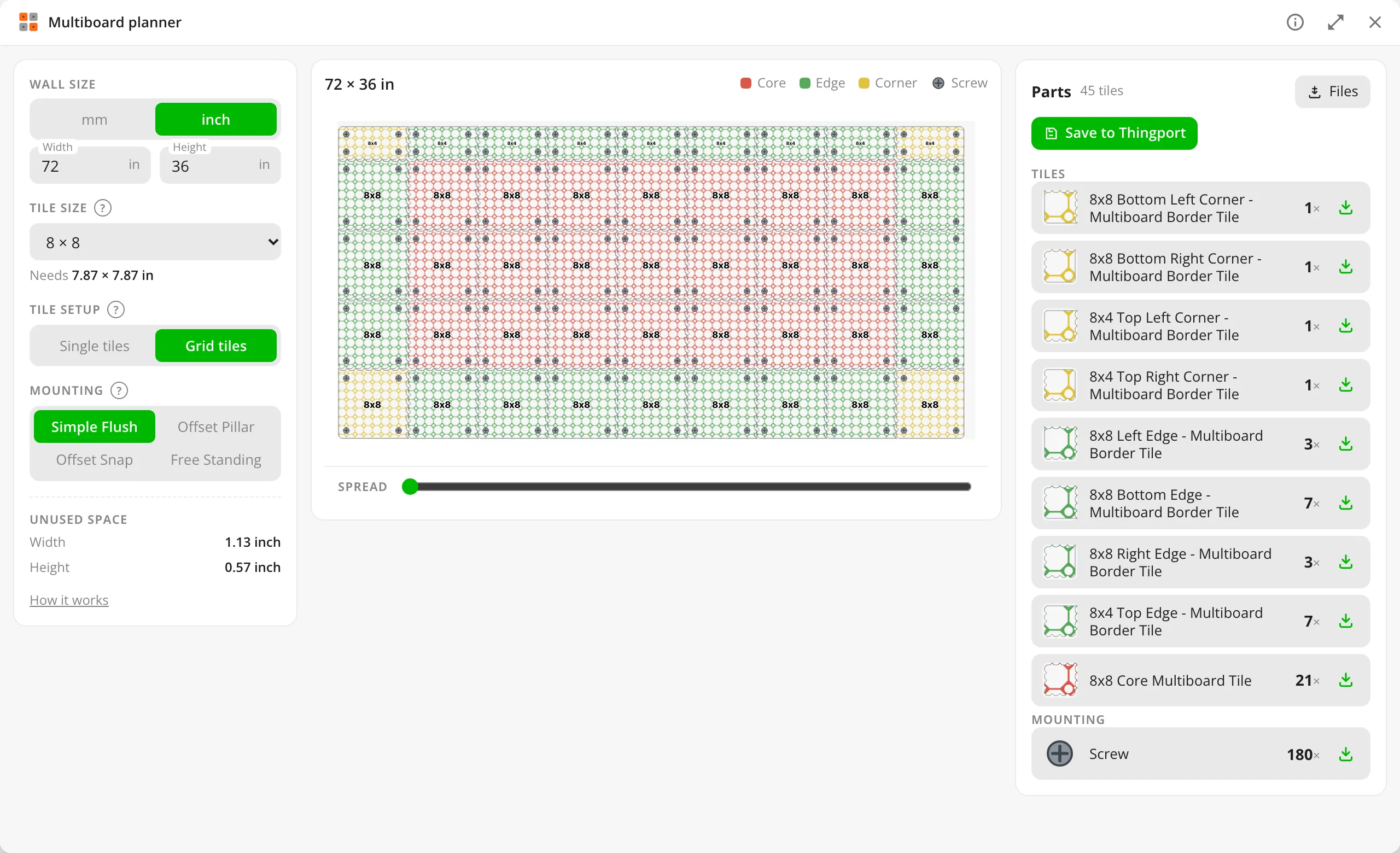
A wall measured in inches, with the strips that fill its edges and the space left over.
About Multiboard planner
Plans a Multiboard wall: enter the wall’s size, pick a tile size, a tile setup and a mounting
method, and it lays the tiles out and lists every tile and mount to print. The layout and counting rules are a port of
the official Multiboard Planner; its own calculator tests run against this copy
(source/test_core.mjs).
Its models
The planner needs 221 Multiboard parts and carries 13 of them. The other 208 are the Octagon Plates, and those are
not kept anywhere: plate.scad draws the one a wall asks for, when it asks, in the tab. A wall comes out as one
file per thing to print — each named with how many of it you need — saved as a model with a plate each, or
downloaded as a zip of the same files.
That is why there is nothing to install and no account to connect. The plates used to be fetched from Thangs as the installing admin, 208 models and about twelve gigabytes for every instance, with a free account’s daily limit deciding how much of it arrived.
The 13 it does carry are the joints — the snaps, the clip, the pillar and the foot. They are not a pattern, so
they cannot be drawn, and they come to 50 MB kept once for the whole instance. They sit in models/, and
MultiBuild have agreed to this repository carrying them; without that agreement they would have to be fetched,
since Multiboard’s licence otherwise lets people download and print its designs but not pass copies on.
They appear as Tool: Multiboard models in every library that can use tools, to view, download or send to a slicer.
What it reaches
Nothing outside Thingport: it declares no hosts. It reads and writes only its own settings (the last wall planned), the tool’s models and, when you ask it to, a collection you pick.
Changing it
Edit source/ and build:
node source/build.mjs # tool.js and tool.jsonnode source/test_core.mjs # the original planner's calculator testsnode source/test_plates.mjs INSTALLED # the tile types, and the plates they link tonode source/test_wall.mjs # a wall's files, in print order however the renders finishnode source/test_outline.mjs # the preview's outline against OpenSCAD's own projectionnode source/fidelity.mjs FETCHED.stl DRAWN.stl # a drawn plate against a fetched onenode source/make_outlines.mjs # data/outlines.json, from the joints in models/INSTALLED is a folder of an installed copy’s models, storage/tools/multiboard-planner/SHA; leave it out and
test_plates.mjs runs everything that needs no copy and says which checks were skipped. test_outline.mjs wants
the openscad binary and skips with a note without it; make_outlines.mjs needs it, and is only run after
models/ changes.
core.js and data/ are kept as the original planner has them, so its tests keep applying; ui.js is the window.
Its plates
plate.scad draws any of the 208 Multiboard Octagon Plates from five settings: how many cells across, and which
of the four sides has another plate against it. plates.js is the translation from the planner’s own tile types
— “C1”, “S2”, “Middle Vertical” — into those settings, and puts a wall’s pieces in print order: each plate
written as binary STL by stlout.js, each joint handed over exactly as the tool packed it.
Every dimension in plate.scad was measured off the plates themselves with fidelity.mjs, which compares a
drawn plate against a fetched one: the bounding box, agreement by cross-section, and both bores over their whole
surface. That last one is what a bolt or a snap actually meets, and the only one of the three that catches a
thread started in the wrong place.