


Keyring generator
Turns what you type into a printable keyring: every letter's real outline with its counters intact, a border grown around them and bridged where it would fall apart, key rings and magnet pockets you drag into place, and a 3MF that opens in a slicer with each piece already assigned its filament.
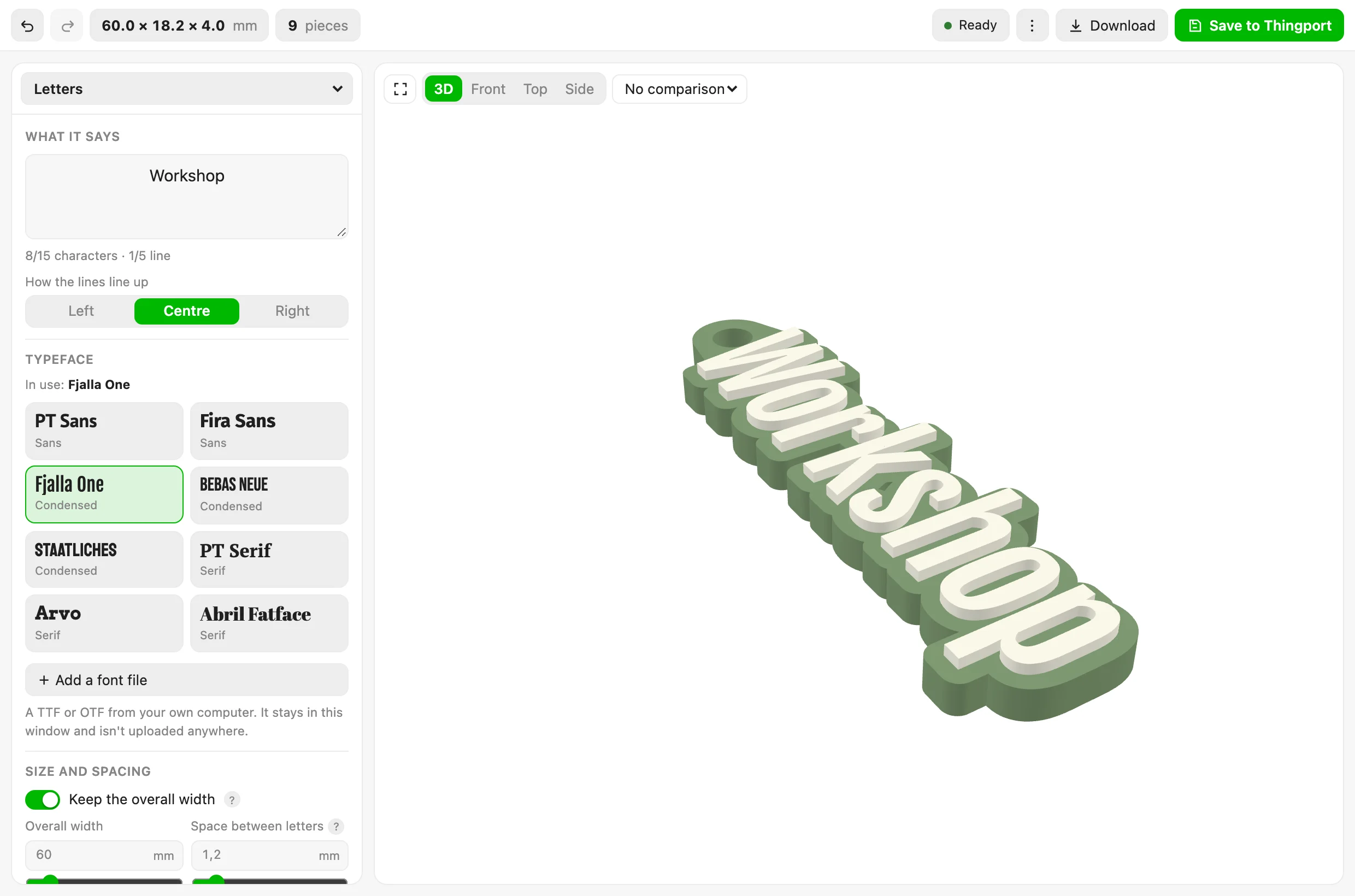
A name becomes a keyring: the letters at their real outlines, a border grown around them, and fifteen typefaces to pick from. 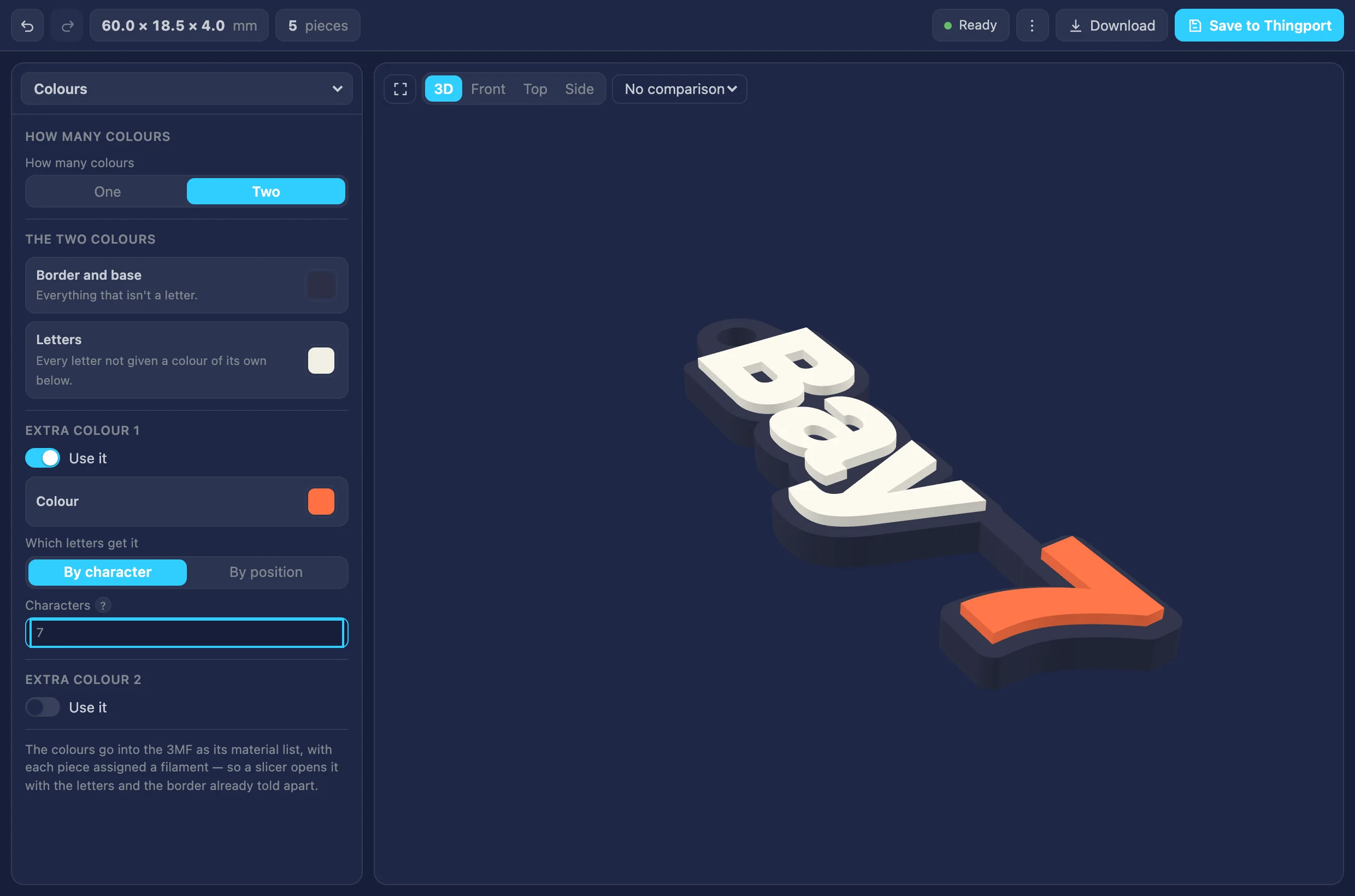
The dark theme, with a second colour sent to one character. Each piece carries its filament into the 3MF, so a slicer opens it ready. 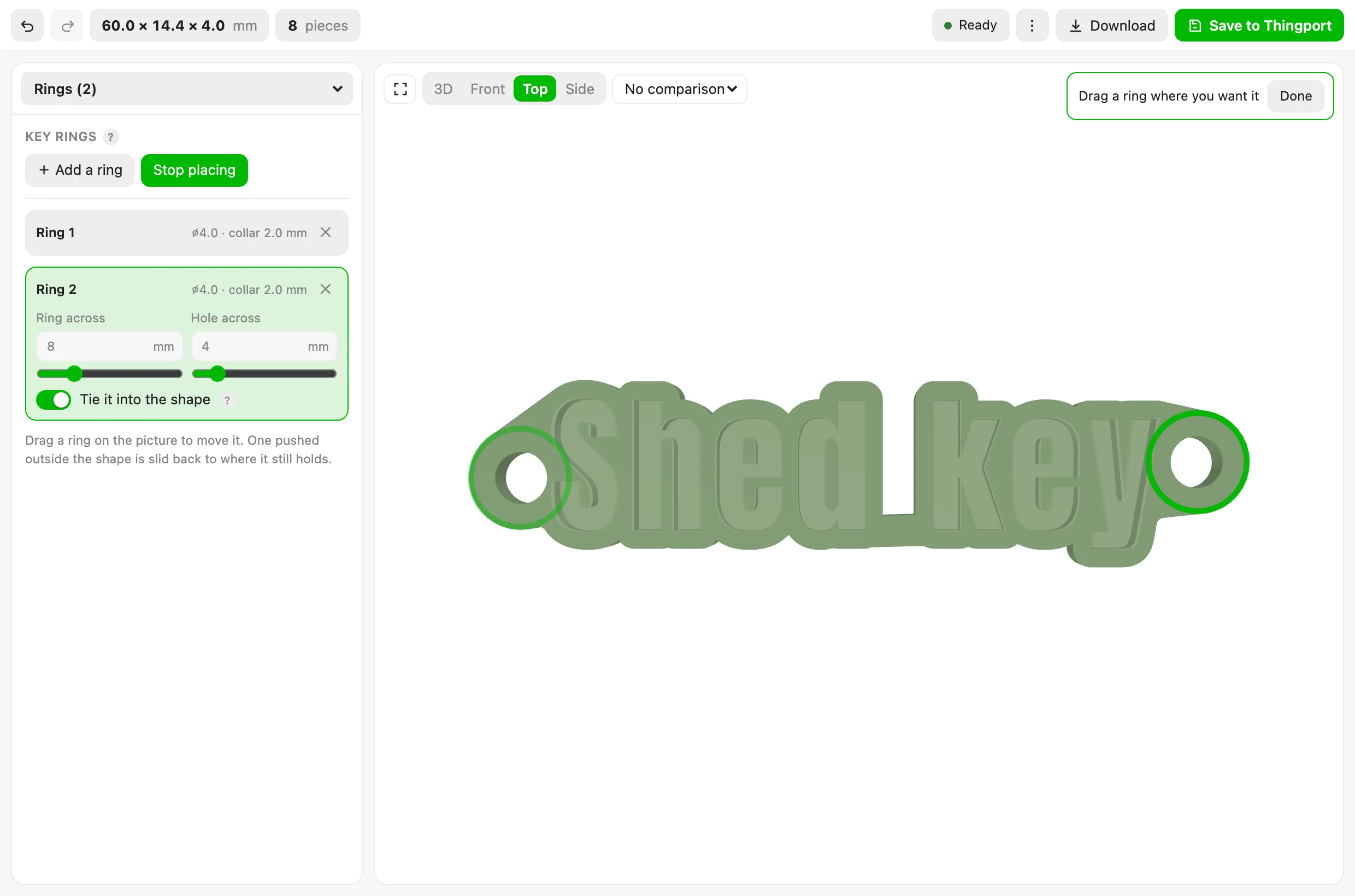
Rings dragged onto the piece itself. One pushed past the edge slides back to where it still has material around it. 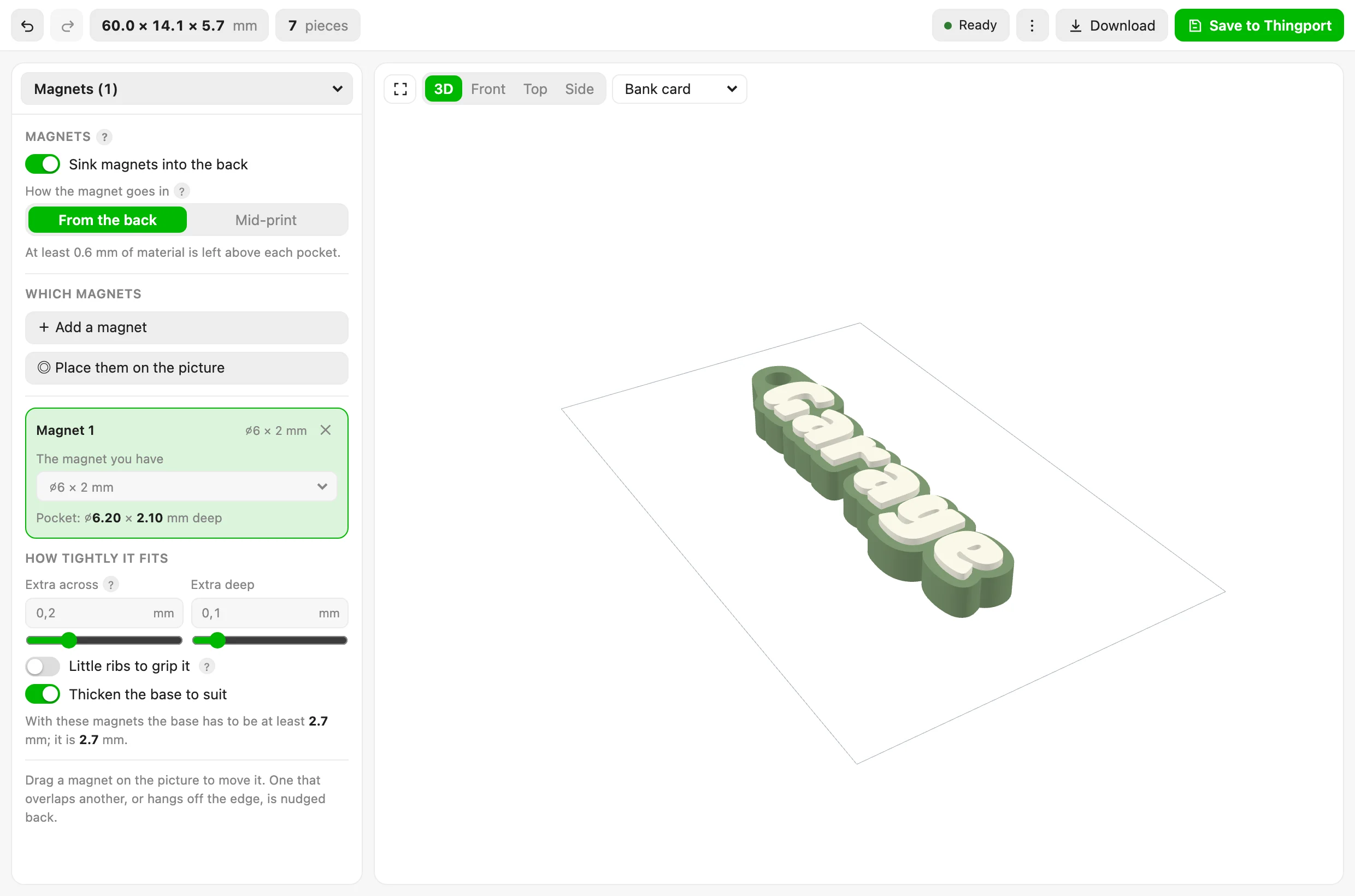
Magnet pockets sunk into the back, with the base thickened to suit, beside a bank card for scale.
About Keyring generator
Type a word, pick a typeface, get a keyring you can print. The letters are the font’s real outlines — counters and all — a border is grown around them and bridged where the shape would otherwise fall into pieces, key rings and magnet pockets go where you drag them, and the 3MF that comes out opens in a slicer with every piece already assigned its filament.
What it does
- Up to five lines, fifteen characters, aligned left, centred or right, in any of the twenty-one typefaces Thingport carries — or one of your own: Add a font file takes a TTF or OTF from your computer, and it stays in the window.
- Holds the width you ask for, solving for the letter size so the border, the spacing and the rings all fit inside it. Turn that off and the letters keep their size while the width follows.
- Thickens thin strokes by a set amount per side, so a light typeface still survives printing.
- Rounds and chamfers the top of the letters, the top of the border and the bottom edge. A radius that won’t fit a narrow part is held back for that part alone rather than refused outright.
- Key rings with a collar round each hole, tied into the nearest letter so they can’t snap off. Drag one on the picture; one pushed past the edge slides back to where it still has material around it.
- Magnet pockets for shop-bought magnets up to 8 mm across, open at the back or closed over for dropping in mid-print, with gaps you can tune and optional ribs to grip them. The base thickens itself to suit.
- One colour or several: the whole thing in one filament, or one for the border and base and another for the
letters, plus two more you can send to particular characters or particular positions — so
BAY 7can have its 7 in orange. Only the filaments actually used go into the file. - One piece or two: the keyring joined, ready for a two-colour print, or the shell and the letters apart with a press-fit gap, to print separately and push together.
It all runs in your browser. The tool declares no hosts, fetches nothing, and works offline.
What comes out
| 3MF | Every piece its own object in one assembly, the colours as a material list, and a Bambu-style settings part naming the extruder for each. No printer profile and no G-code: those belong to whoever slices it. |
| OBJ | Each piece a named object. No colours. |
| STL | Everything in one mesh, for anything that reads nothing else. |
| Print notes | Which filament goes where, what to print, and the magnets and rings, as plain text. |
Save to Thingport puts the 3MF into a collection you pick, with the picture as its cover and what to print as its description. Whether it comes out joined, apart, or both is asked at that point rather than kept as a setting, since it’s a question about the file rather than about the keyring.
The words it uses
Its labels aren’t in the script: they’re in locales/, one flat JSON file per language, which
Thingport reads itself and hands over as t(). English, Lithuanian, Spanish and French are there, and English is
the fallback key by key. Adding a language is a file — no code to touch. See
the words a tool shows.
Where it came from
The heavy lifting is borrowed rather than carried: opentype.js (MIT)
reads the glyphs, Manifold (Apache-2.0) does the solid modelling, and
Three.js (MIT) draws the preview — all three through Thingport’s
library(), so the tool carries none of them.
The typefaces are the ones Thingport ships, under the SIL Open Font License; the notices are in
frontend/src/assets/toolFonts.
Working on it
tool.js is built from source/; edit those and run the build, then the tests:
node source/build.mjsnode source/test_keyring.mjsThe tests check the geometry, the colour and magnet rules, the files and the labels on their own, and always run —
including that every language says everything English does and nothing it doesn’t, that a translation fills in the
same blanks, and that no label is shown without words or translated without being shown. The engine’s
own tests need a real font parser and solid modeller, which live in the frontend rather than the backend, so they
run when frontend/node_modules is there and say they were skipped when it isn’t. Those are the ones that prove a
letter’s counter is a hole right through the solid — by genus, which is what o being a ring rather than a disc
actually means — and that every typeface Thingport ships still letters correctly.