


Enclosure generator
Designs a 3D-printable case for electronics: a box and lid with screws or snaps, PCB standoffs, port cutouts, vents and text, saved as a model or kept as a project to come back to.
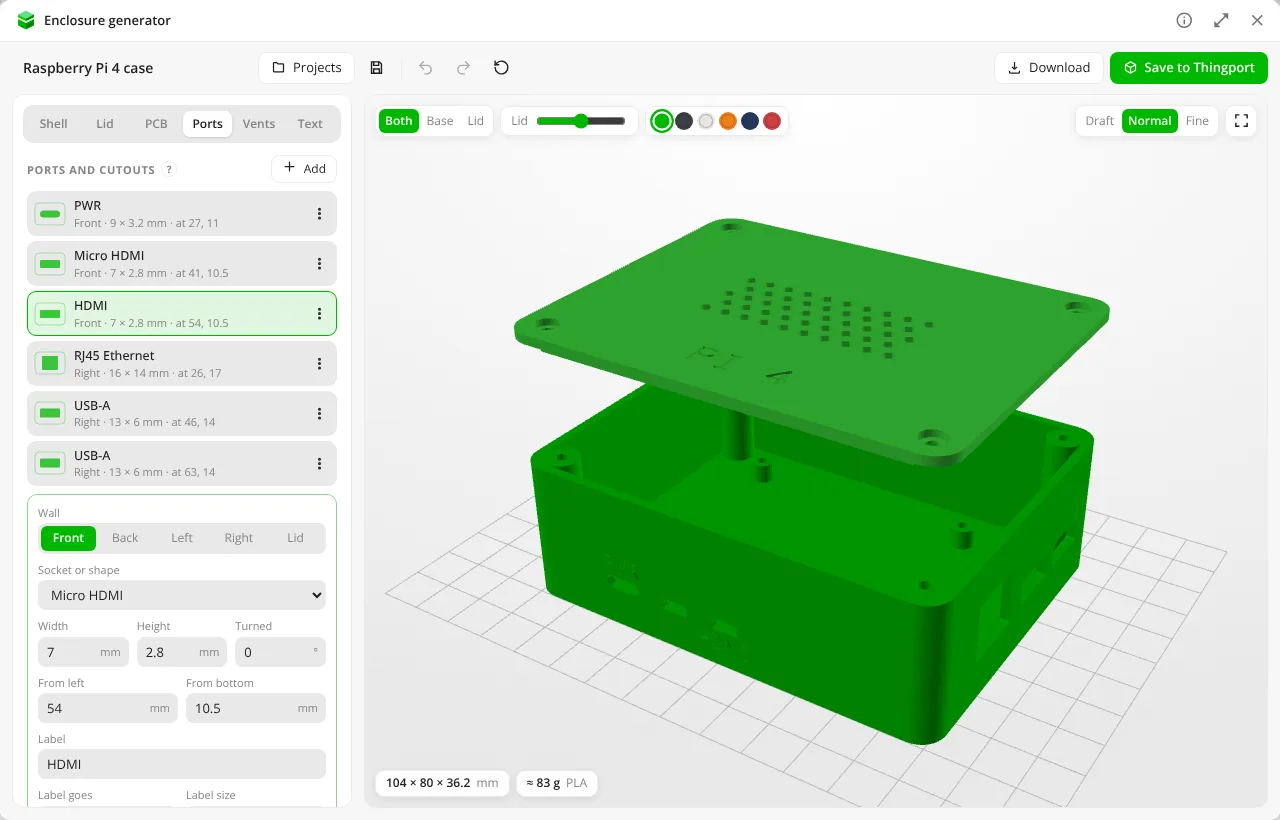
A Raspberry Pi 4 case: the board's standoffs from its preset, labelled ports on two walls, honeycomb vents and text in the lid, which is lifted to show inside. 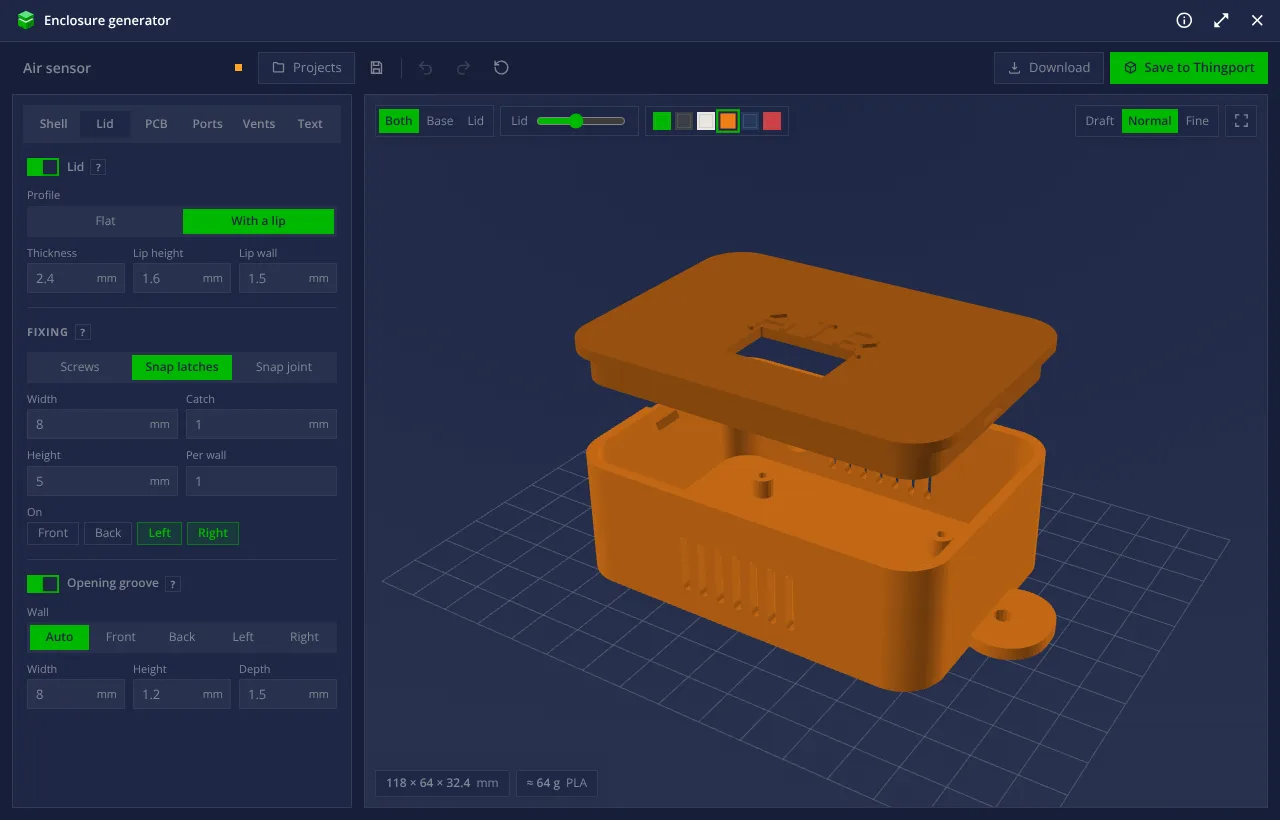
A sensor box in the dark theme: snap latches with an opening groove, mounting flanges, vents in the walls, a window for a screen and raised text on the lid. 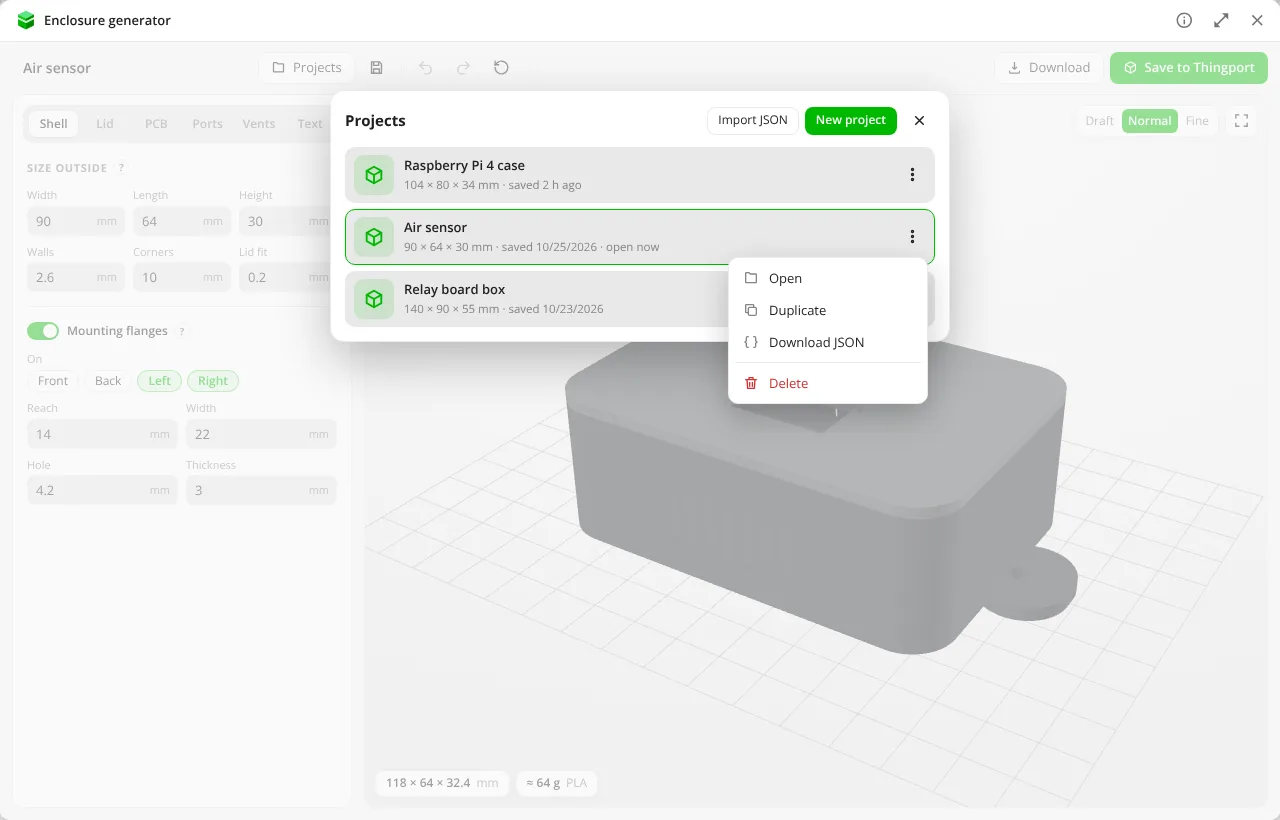
Projects kept to open again, duplicate, download as JSON or delete.
About Enclosure generator
Designs a 3D-printable case for electronics, after PrintCasing’s generator: set the box’s size, walls and corners, and it builds the base and the lid as you go, in a 3D view.
- Lid: flat, or with a lip that drops inside the base; held by corner screws (bosses with pilot holes, the lid’s holes sunk for the heads), snap latches (hooks on the walls clicking into windows in the lip) or a snap joint (bumps on the lip clicking into grooves in the walls); and a notch to lift it with a flat tool.
- PCB standoffs: four at a board’s corners, or each placed, with the mounting holes of 33 common boards (Arduino, Raspberry Pi, ESP32, Teensy, STM32 and more) to start from; on the base or under the lid.
- Ports: openings in any wall or the lid, from 43 sockets’ sizes (USB, DC jacks, XT60, RJ45, HDMI, D-sub, RF, pin headers, cards, screens) or a shape of your own, turned as needed, with a label cut beside each.
- Vents: slots, honeycomb, dots or diamonds, in the lid and the walls.
- Text: cut into or raised on the lid or a wall.
- Mounting flanges: ears with screw holes at the foot of the walls.
Save to Thingport makes a model of it: the base and the lid as STL files (the lid turned over, ready to print), a picture, and a description of what to print and how it’s set up. Projects keeps the settings to open again, duplicate, download as JSON or delete; a project saved as JSON on PrintCasing opens here too.
The parts are made by the tool itself: boolean solid modelling on BSP trees, then each face merged back from the
pieces cutting leaves it in and cut into triangles afresh, so every part comes out a closed solid a slicer takes as it
is. source/test_enclosure.mjs checks that for every feature. None of PrintCasing’s code is used.
What it reaches
Nothing outside Thingport: it declares no hosts. It keeps its projects and the one open in its own storage, and creates a model only when you save one.
Changing it
Edit source/ and build:
node source/build.mjs # tool.js and tool.json, from the files in source/, icon.svg and tool.base.jsonnode source/test_enclosure.mjs # every kind of part is a closed solidcsg.js is the solid modelling and turns solids into printable triangles, shapes.js and font.js make the solids
an enclosure is built from, data.js holds the settings, boards and ports, enclosure.js builds the base and lid,
viewer.js draws them and ui.js is the window.